Branded video sharing, from your own Drive
Branded sharing puts your logo, your palette, your type and your call to action on the page the recipient opens, instead of somebody else’s name above your work. Brand Studio sets that page up once, and the file behind the link stays in your own Google Drive.
Video Analyst is part of Pro, a one-time $39 purchase. Brand Studio, Go Live, Step Movie are part of Studio, a one-time $99 purchase. Everything else on this page is free.
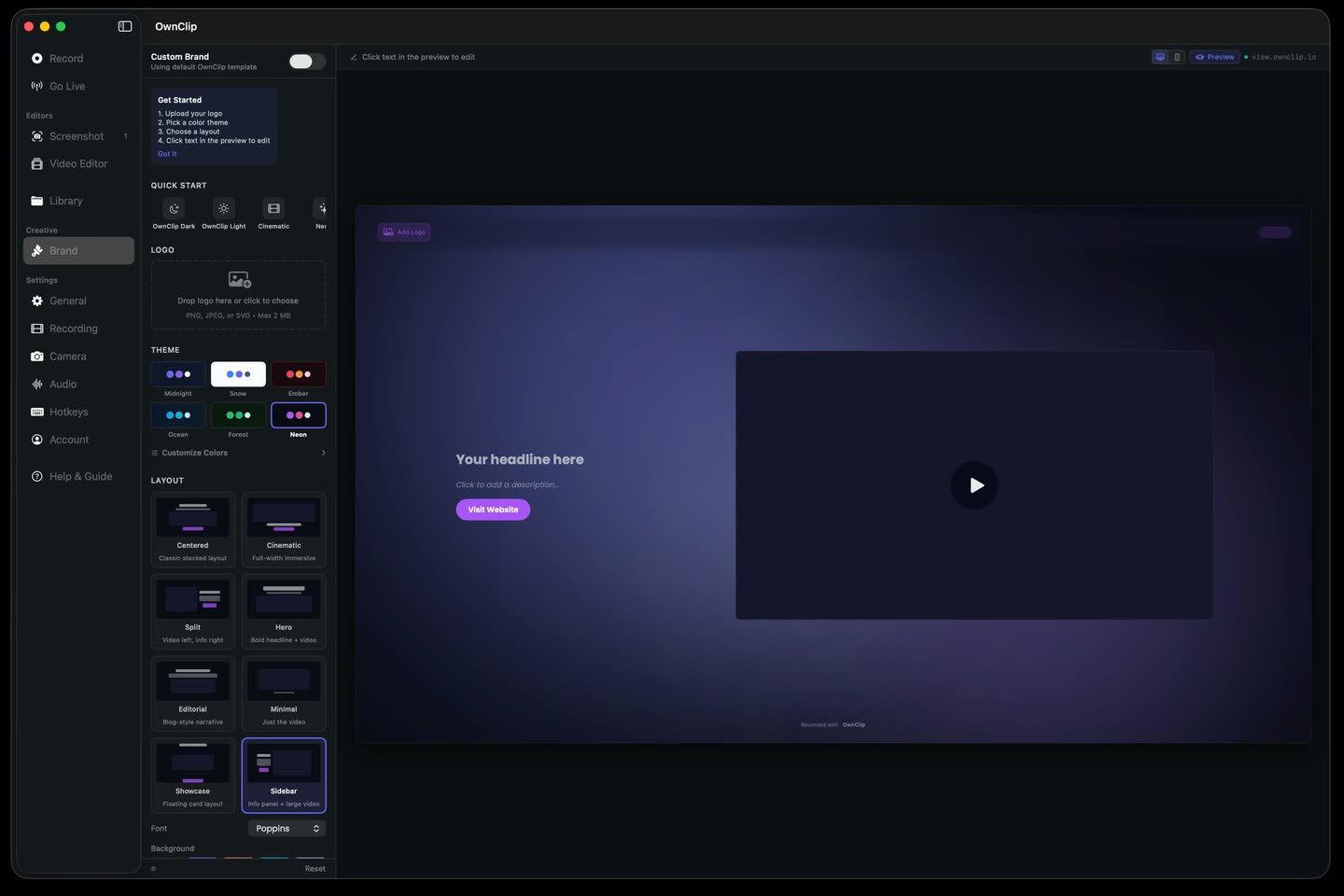
The page your video opens on
You record it, cut it and send a link. What the recipient opens is a player sitting on a page with a stranger’s logo above it and nothing at the end telling them what to do next. The video is your work; the page is somebody else’s advertising.
Brand Studio replaces that page with one you set up: layout, palette, type, background, intro and outro, and the step you want the viewer to take when the video stops.
It is yours to switch off.
Sharing uploads the file to your own Google Drive and hands back a link you can copy. When the project ends or the deal closes, the dialog that made the link disables it again, and the file stays exactly where it already was.
- Your Google Drive
- Copy and send
- Disable any time
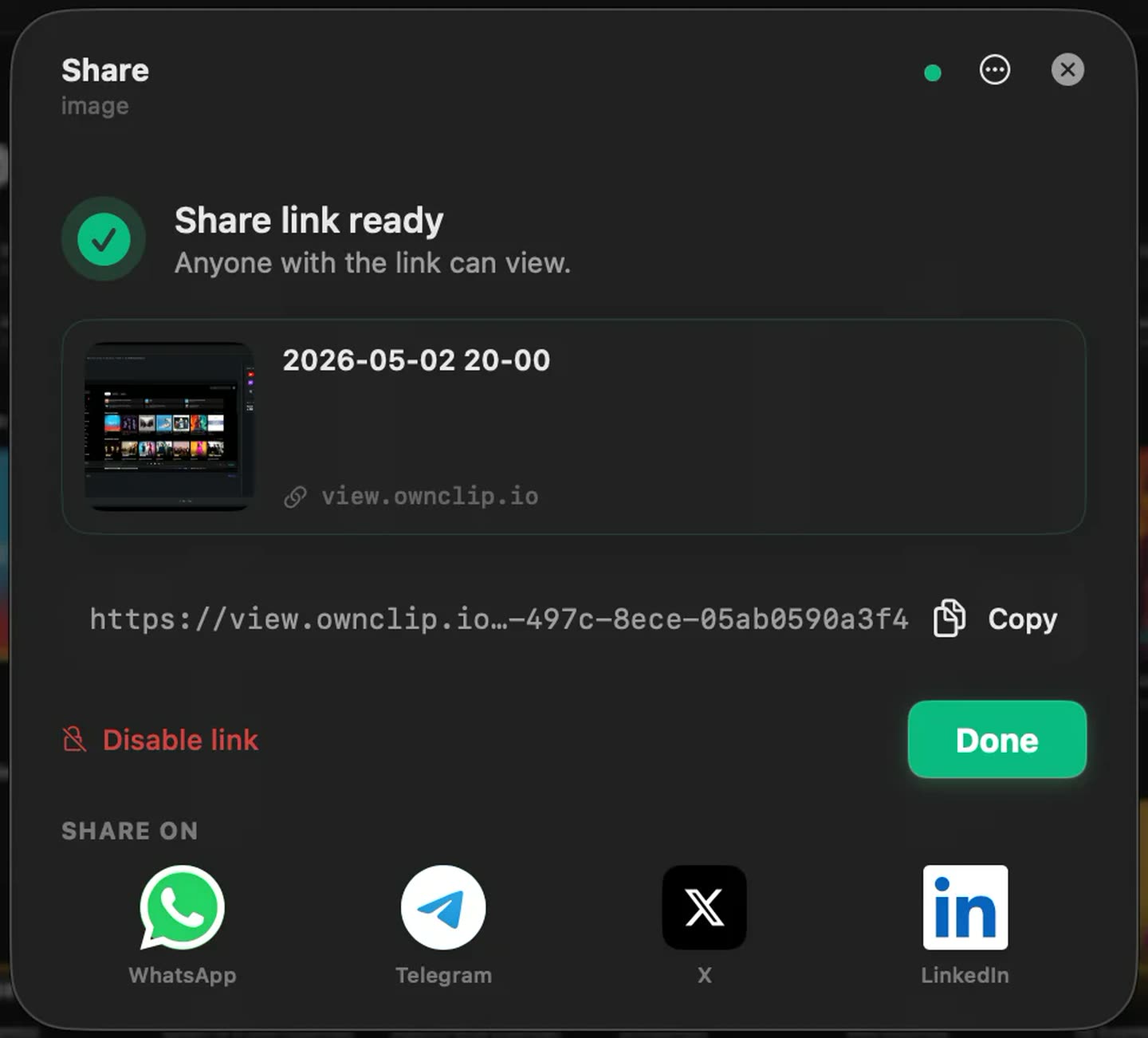
What the page carries
Brand Studio is on the Studio tier. The sharing and the storage underneath it are on every tier.
Your logo, colours and typeStudio
Eight page layouts, six palettes, five fonts and eight animated backgrounds, set once and applied to every link you hand out.
An ending that asks for somethingStudio
A custom branded video link can close on your next step — book the call, open the docs — instead of closing on a replay button.
Intro and outroStudio
A short branded open and close wrap the video itself, so the first and last thing seen is yours.
A watermark you controlStudio
Off, your logo, your text, or both, placed on a nine-position grid and applied to exports as well as to the player on the share page.
Storage you already own
The upload goes to your Google Drive with access scoped to the files OwnClip creates, so the video sits beside the rest of your work.
The same take as a file
Export MP4, HEVC, MOV, ProRes 422 or 4444, or GIF when the video has to be embedded somewhere rather than linked.
The library stays on your Mac.
Every take you have made is listed on your own machine and stays there. Sharing sends a copy to your Drive rather than moving the original, and nothing is held on OwnClip servers.
- Stays on your Mac
- A copy goes to Drive
- Nothing on our servers
What Studio costs
White-label video sharing is usually something you rent by the month. Brand Studio is part of a one-time Studio licence: $99, activating up to two Macs, with every v1 update included and no subscription on any tier.
If the only thing you want is the OwnClip mark off your exports, that is Pro at $39 once and you do not need Studio for it. Studio is for the case where the page itself has to be yours, and where the watermark is something you place rather than something you remove.
One window, take to link.
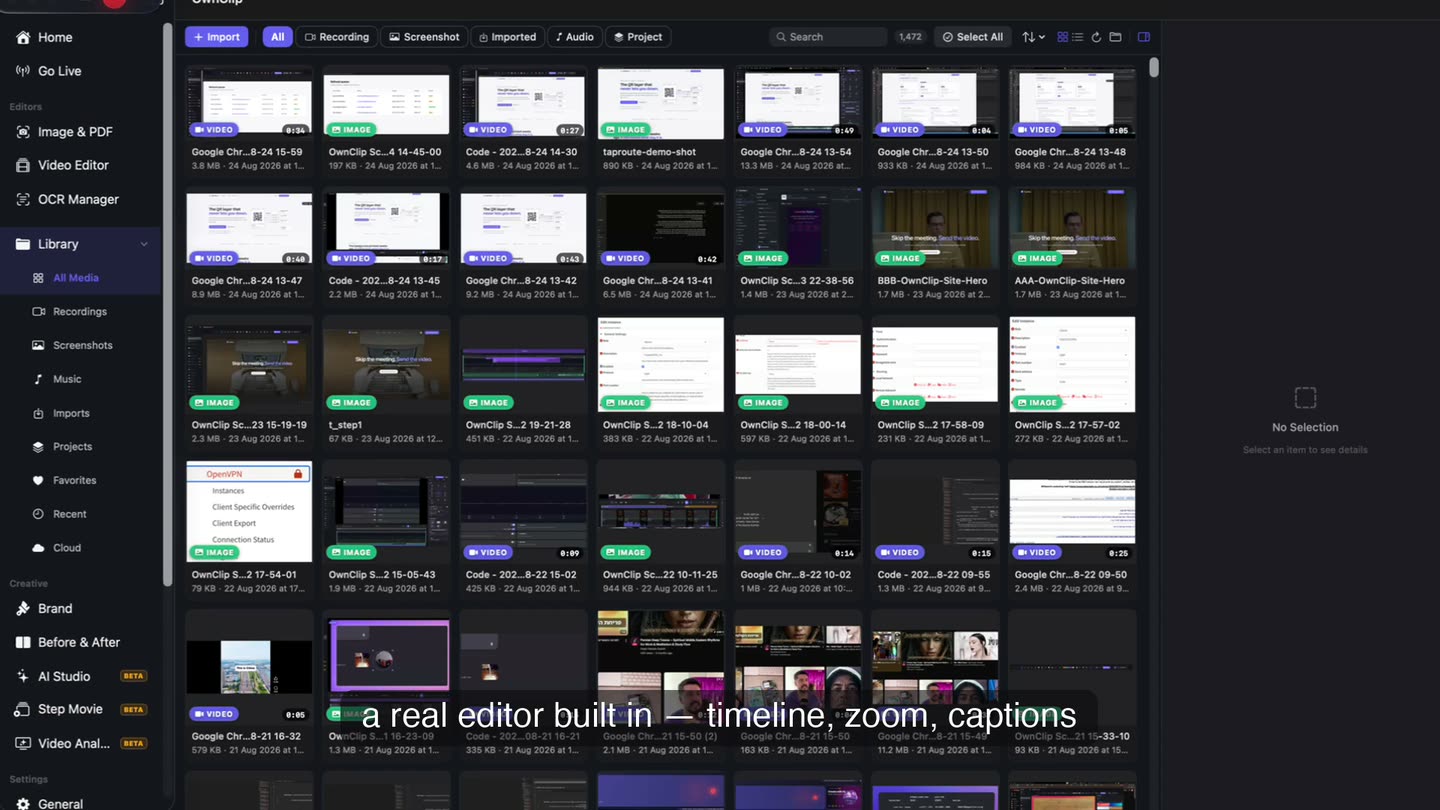
The recording you just stopped is already on a timeline in the same window that made it, and the link you hand out is built from that same file. Editing is non-destructive, so the original is never rewritten.
Branding is one part of Studio.
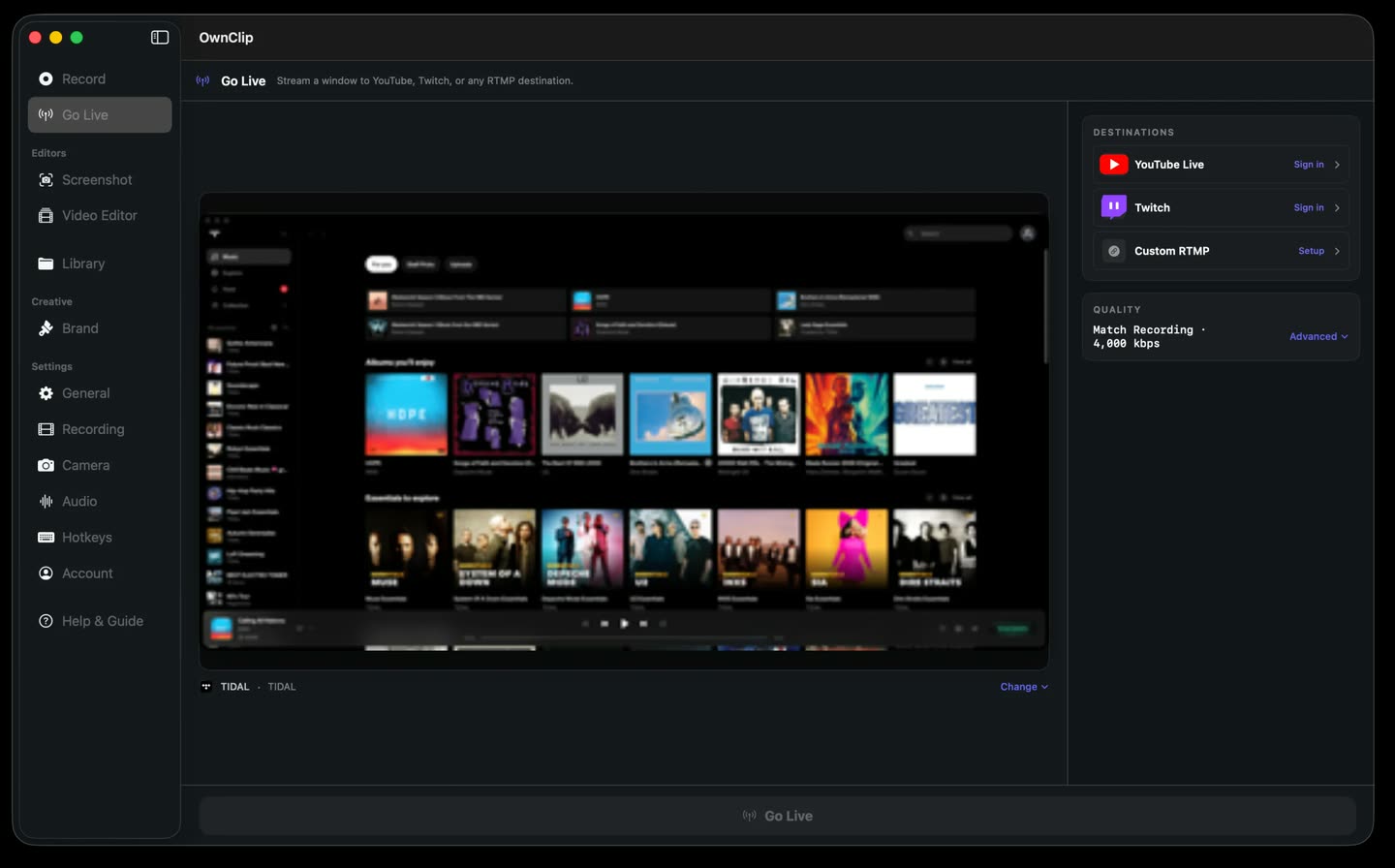
The $99 is one purchase covering the whole tier, not a licence for the branding alone. Go Live broadcasts to YouTube, Twitch and custom RTMP at once using the camera and audio you already record with. Step Movie turns a run of captures into a numbered walkthrough. Video Analyst — which opens at Pro — runs uncapped, with premium narration voices and your brand on every render. All on the same licence, on up to two Macs.
- Go Live
- Step Movie
- Video Analyst
Where a branded page earns it
Client deliverables
A walkthrough that arrives on a page carrying your name reads as work you produced, not as a file you forwarded.
Sales follow-up
A recap the prospect can open later, ending on your next step — and the link goes dark when the deal does.
Product updates
A release video sitting inside your own colours, sent to customers as a link rather than an attachment.
Training and courses
Every lesson opens on the same page design, with the same call to action underneath it.
Questions people ask
No. Branded share pages are served from view.ownclip.io, and Brand Studio changes what is on the page — your logo, colours, fonts, CTA and animated backdrop — rather than the address it sits at. If a custom domain is a requirement for you, this is the thing to check before buying.
For share links, yes. Uploads go to your own Google Drive, which is what keeps the file yours rather than ours, and it is the only storage OwnClip connects to. Without a Google account you can still export and send the file any other way — the native share sheet, AirDrop, Mail — but not create a branded share link.
In Brand Studio, where you set the logo, palette, type and call to action once and every link you hand out opens on that page. It is a Studio feature — $99 once, activating up to two Macs. Free and Pro share through the same viewer, but the page around the video carries OwnClip branding rather than yours.
In your own Google Drive, uploaded with access scoped to the files OwnClip creates. You get a link to a viewer page; the file itself is in your storage, not on OwnClip servers, and the original stays in your Movies folder.
Yes. The dialog that created the link can switch it off again, and because the file lives in your Drive you can also change or remove access there.
Yes. The Studio watermark engine applies to exports and to the share-page player, and can be set to off, your logo, your text, or both, positioned on a nine-position grid. Free exports carry a small OwnClip mark; Pro removes it.
OwnClip needs macOS 26 or later on an Apple silicon Mac. It is a native Mac app — there is no Windows or web version.
Free includes the whole editor — timeline, camera effects, audio cleanup, captions, annotations, and the screenshot and PDF editors. What it caps is the take itself: three minutes, recorded at 720p, with a small watermark composited into the frames as they are written. You can keep 25 recordings. A few tools are paid rather than capped — Smart Zoom and Scroll Capture are Pro; Brand Studio, Go Live and Step Movie are Studio. Pro is $39 once and lifts every cap.
Related
Branded video sharing, from your own Drive
Free to start. macOS 26 or later, Apple silicon.