The watermark comes off with Pro — $39, once
A free OwnClip recording carries a small "Made with OwnClip" mark in the bottom-right corner, recorded into the video and carried into anything you export from it. Pro — $39 once, with no subscription — removes it for everything you record after upgrading. Recordings made on Free keep the mark.
Brand Studio is part of Studio, a one-time $99 purchase. Everything else on this page is free.
Where the watermark is applied
A free tier has to be paid for somewhere, and OwnClip charges it against the output rather than the toolkit. The recorder and the editor are both there before you pay anything. What free marks is the video, with a small "Made with OwnClip" badge in the bottom-right corner.
When that mark lands matters, because it decides what removing it costs you. On the free tier it is recorded into the video as the take is written to disk, so it is part of the picture rather than a layer sitting over it, and exporting the take again does not remove it. A screen recorder with no watermark is the paid one here — $39, paid once — and every take you record after that is clean from the first frame. Recordings made on Free keep their mark.
The tools are not the paywall.
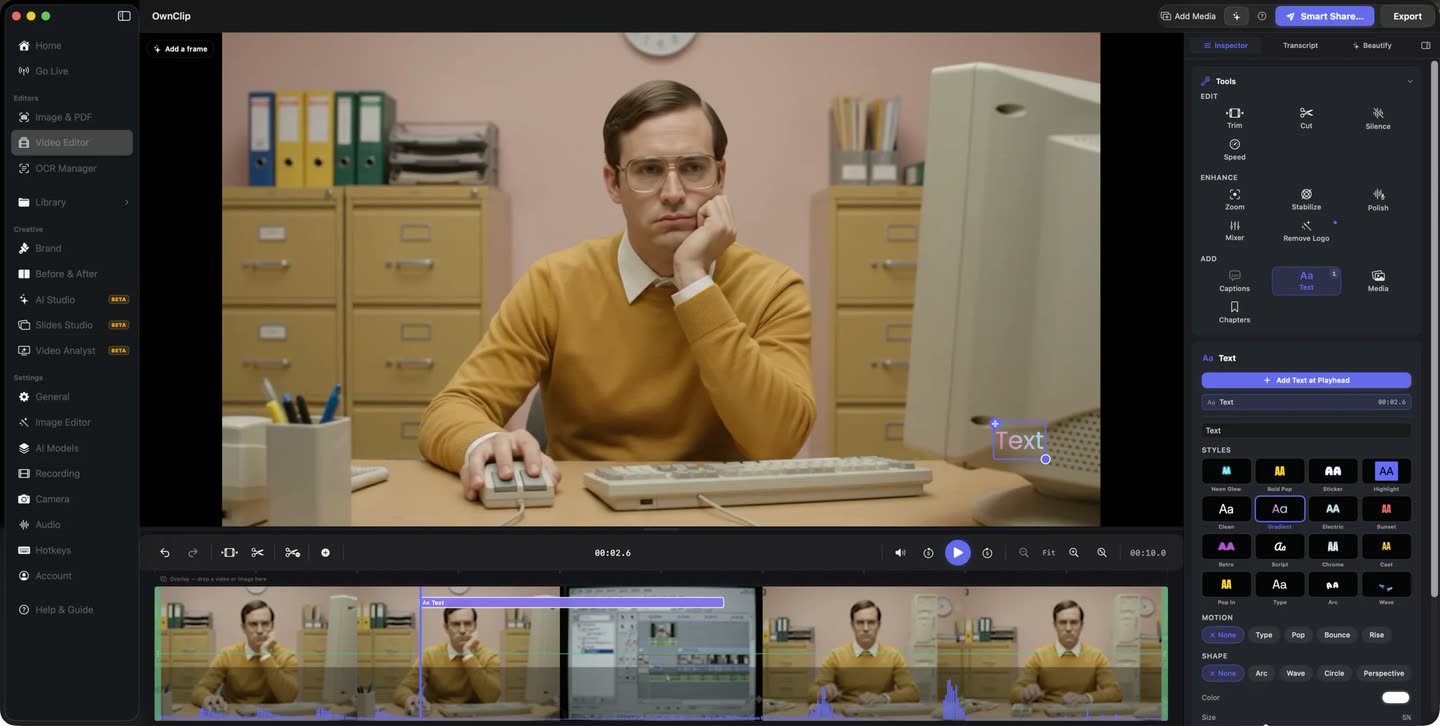
The recording you just stopped opens on a timeline with the tools beside it, and that is as true on the free tier as on any other. What free limits is the take itself — its length, its size and the mark in the corner, which is the part you notice first.
- Editor on every tier
- Non-destructive
What the $39 changes
Pro is $39 once. Studio is $99 once. Neither renews.
New takes record clean
From your first take on Pro the file itself carries no mark, at up to 4K. Recordings made on Free keep theirs, because it was recorded into them. The three-minute ceiling and the 25-recording cap go at the same time.
Nothing added on export
Nothing is composited on top of what you export from a Pro take — MP4, HEVC, MOV, ProRes 422 or 4444, and GIF.
The editor is free either way
You are not paying for the door. The recording opens in the editor on every tier, and your edits stay in a project beside the file rather than inside it.
A link you can switch off
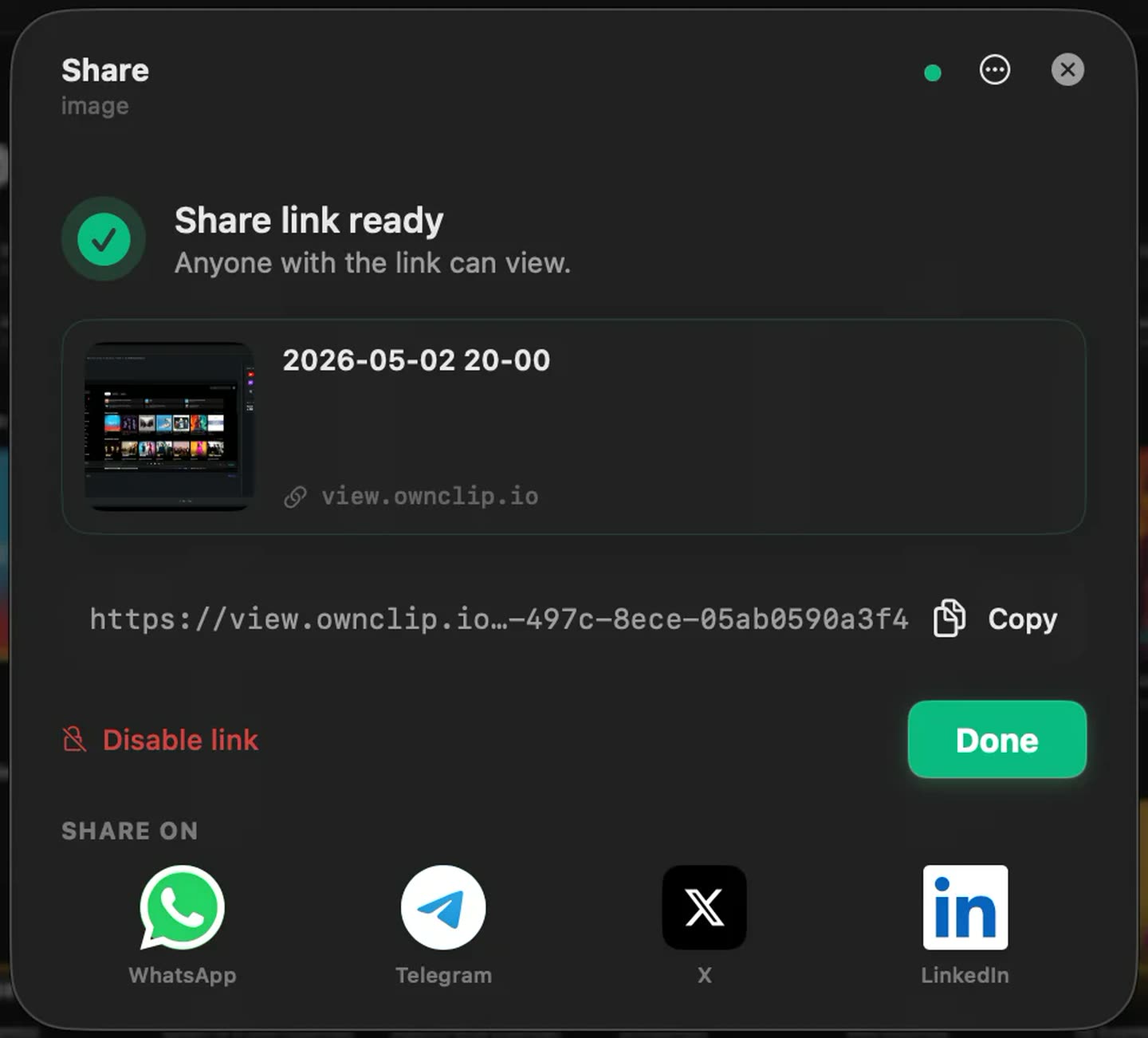
Sharing puts the file in your own Google Drive and hands you a link, and the same dialog disables it again later.
Your own mark instead of oursStudio
Off, a logo, text, or both, placed on a nine-position grid across your exports and the share-page player.
The link carries the clean file.
Sharing uploads to storage you already own and hands back a link on view.ownclip.io. A take recorded on Pro carries no mark, so neither does the file behind that link, and the same dialog that made the link switches it off again.
From marked to clean
- 1Find out where the mark isOpen the take and look at the bottom-right corner. On a recording made on the free tier the mark is already in the frames; on a Pro one there was never anything there.
- 2Buy Pro onceThirty-nine dollars, no renewal. It activates the Mac you are working on, up to two at a time, and a licence can be released and moved to another Mac from your account page.
- 3Record that take againA file recorded on the free tier keeps its mark and its 720p, because both were written into it. The next take you record has neither, and exports go up to 4K at 60fps.
- 4Pick any formatMP4, HEVC, MOV, ProRes or GIF, with nothing composited over the frame.
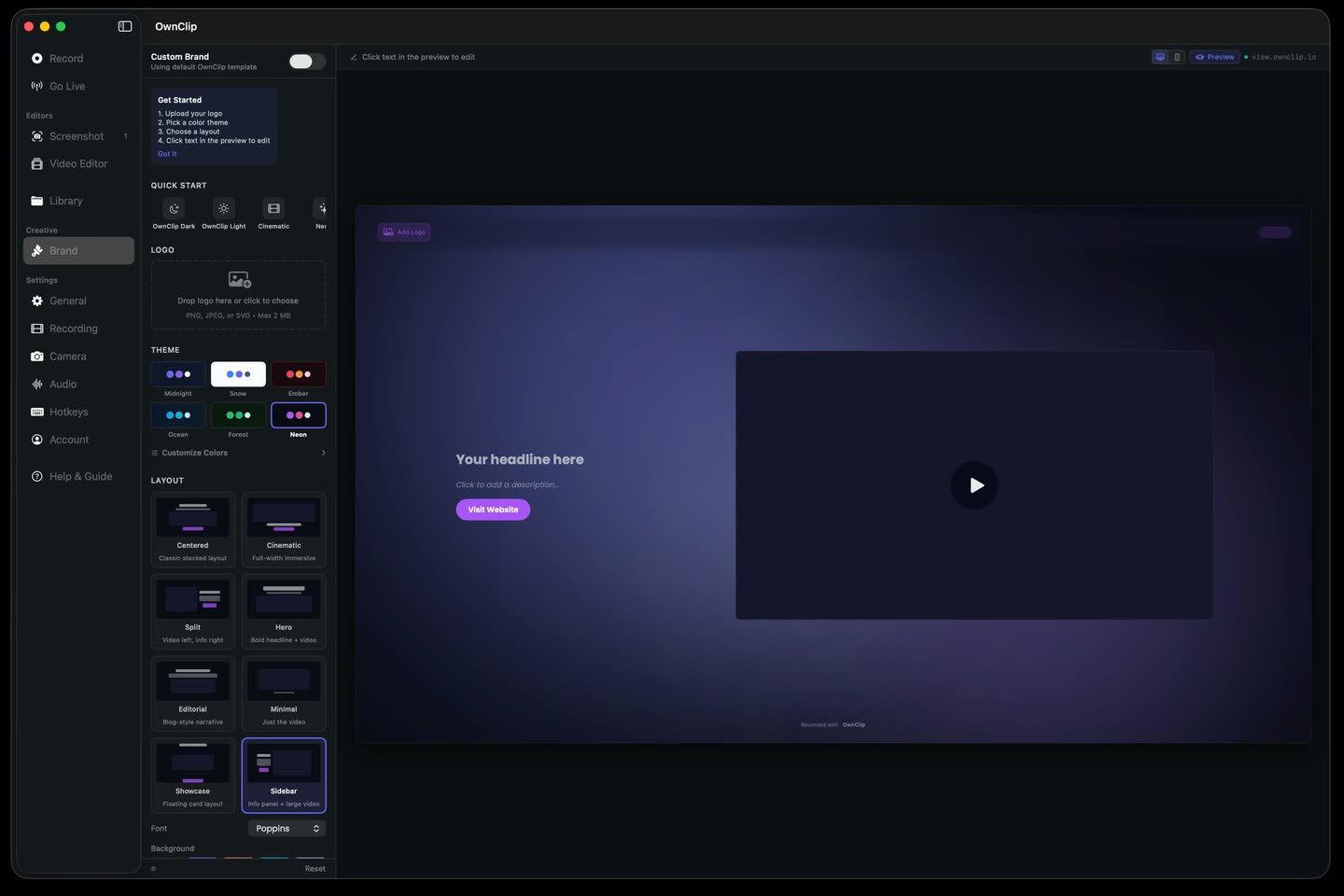
Your logo, where ours was.
Studio puts your logo and your colours on the page a recipient opens, and the same brand settings decide what mark, if any, sits on the video itself.
One payment, not a plan
Pro is $39 and Studio is $99, each paid once. There is no subscription and no renewal date, and every 1.x and 2.x update is included in what you paid.
Pro and Studio each activate up to two Macs at a time. A licence can be released from one machine and moved to another from your account page, and reinstalling on the same Mac does not cost an activation.
Questions people ask
On the free tier, yes. A small "Made with OwnClip" mark sits in the bottom-right corner, recorded into the video as you record and carried into anything you export from it. Pro removes it for $39, paid once, for everything you record after upgrading.
You cannot lift it off that file. On the free tier the mark is recorded into the video while the take is being made, so it is part of the picture rather than a layer over it, and exporting the same take again will not remove it. Upgrade to Pro and record the take again: the new recording carries no mark, and neither does anything you export from it.
No. OwnClip has no subscriptions. Pro is $39 once and Studio is $99 once, and every 1.x and 2.x update is included. Pro and Studio each activate up to two Macs, and a licence can be released and moved to another Mac from your account page.
That is Brand Studio, part of Studio at $99 once. The watermark can be off, a logo, text, or both, placed on a nine-position grid, and it applies to your exports and to the player on the share page. Studio also brands the share page itself with your colours, fonts and call to action.
Free includes the whole editor — timeline, Smart Zoom, camera effects, audio cleanup, captions, annotations, and the screenshot and PDF editors. What it caps is the take itself: three minutes, recorded at 720p, with a small watermark recorded into the video. You can keep 25 recordings. A few tools are paid rather than capped — Video Analyst and Batch Beautify are Pro; Brand Studio, Go Live and Step Movie are Studio. Pro is $39 once and lifts every cap for what you record after upgrading; recordings made on Free stay 720p with the mark.
OwnClip runs on the latest macOS — currently macOS 26 — on an Apple silicon Mac. It is a native Mac app; there is no Windows or web version.
Related
Coming from another tool? See how OwnClip compares with QuickTime Player, or browse every comparison.
The watermark comes off with Pro — $39, once
Free to start. The latest macOS, Apple silicon. See what Pro and Studio add.