Everything OwnClip does, on your Mac
A screen recorder, a real video editor, a screenshot and PDF toolkit, and on-device AI in one native app. Every clip and screenshot on this page is the app itself.
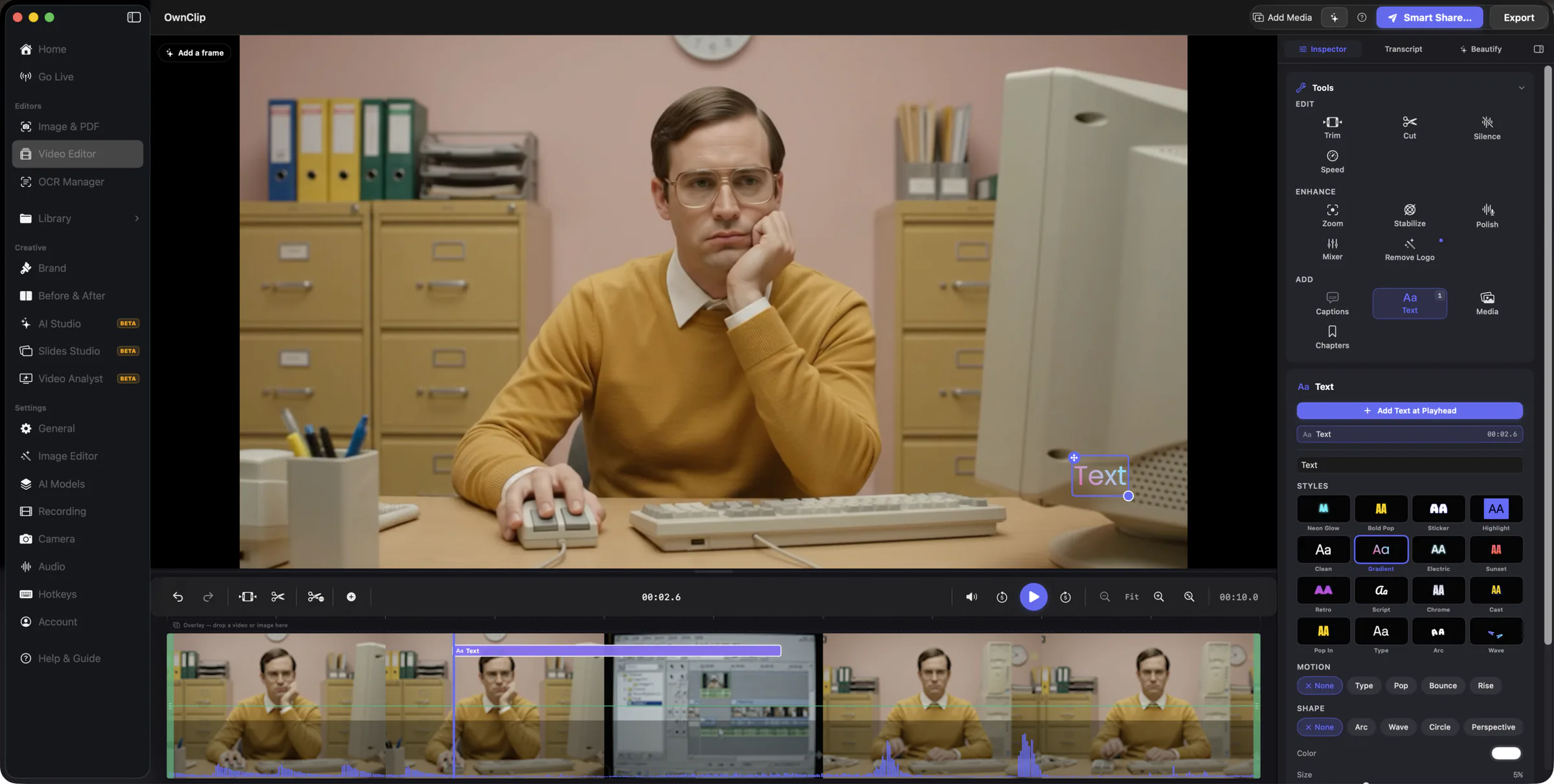
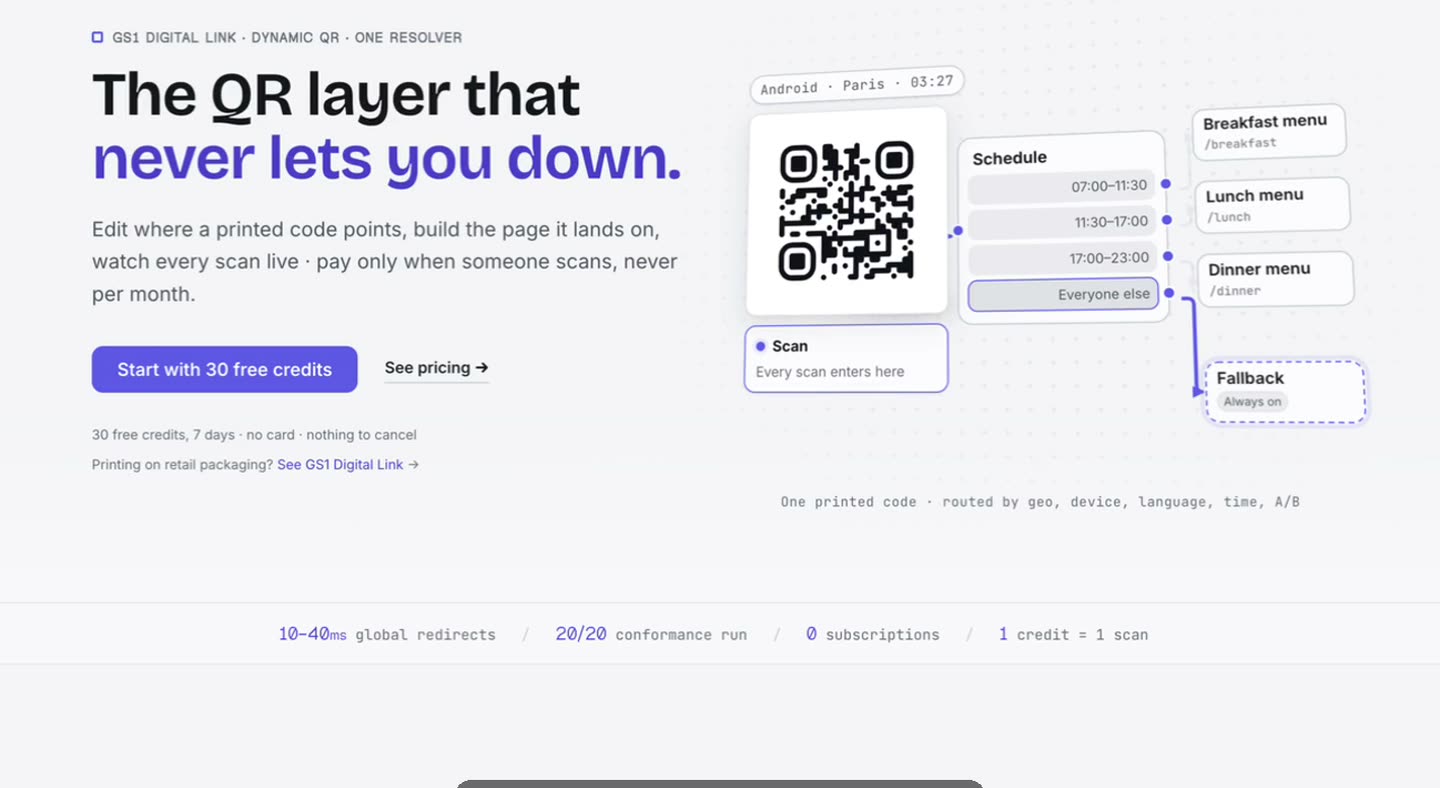
Smart Zoom
The recording zooms where you clicked, and the cursor moves like it was directed.
Zooms are generated from what you actually did during the take. Every keyframe stays editable, and you can add your own next to them.
- Smart ZoomFree
- Cursor effectsFree
- Video annotationsFree
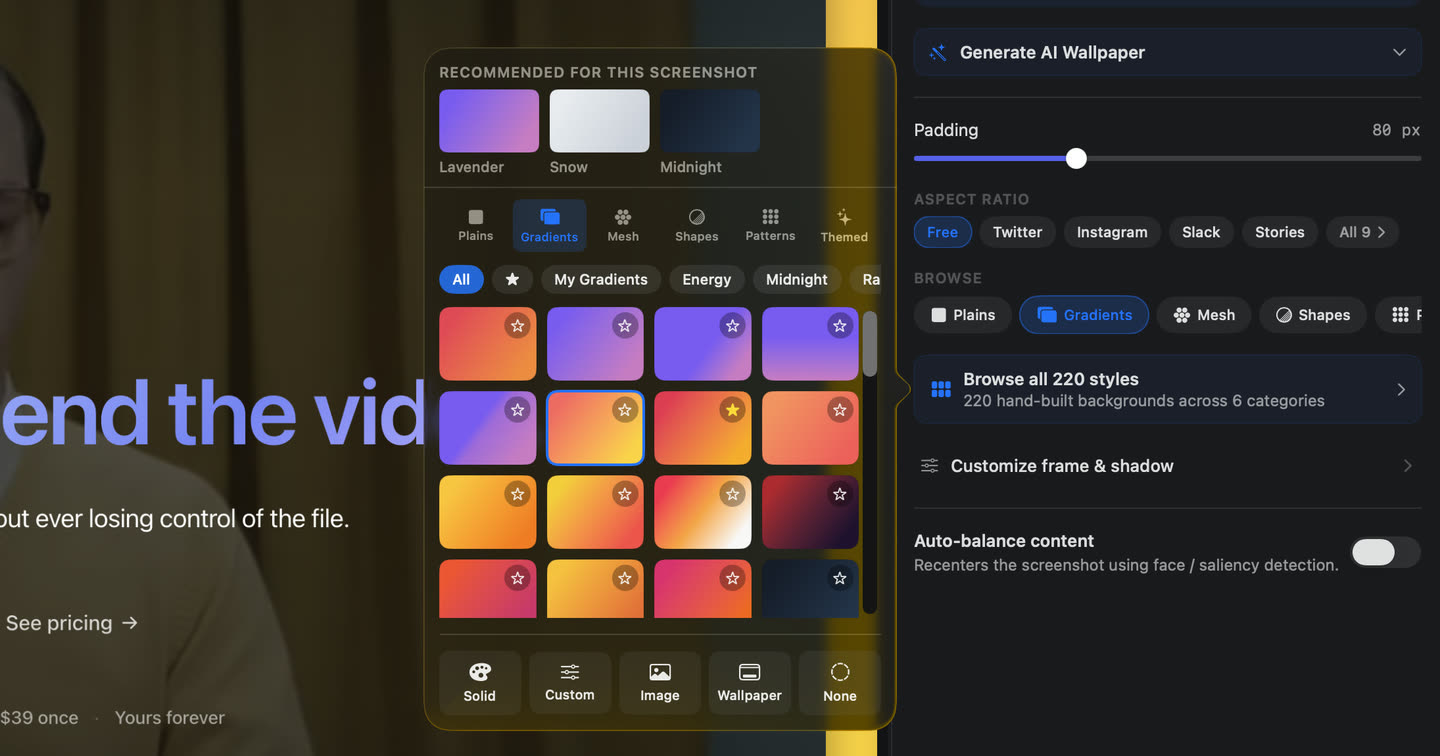
Beautify
A background, padding, rounded corners and a shadow around any screenshot or recording.
220 hand-built backgrounds, a few picked for each capture, and a 3D tilt that renders into the export.
- BeautifyFree
- Beautify for recordingsFree
- 3D TiltPro
- Batch BeautifyPro
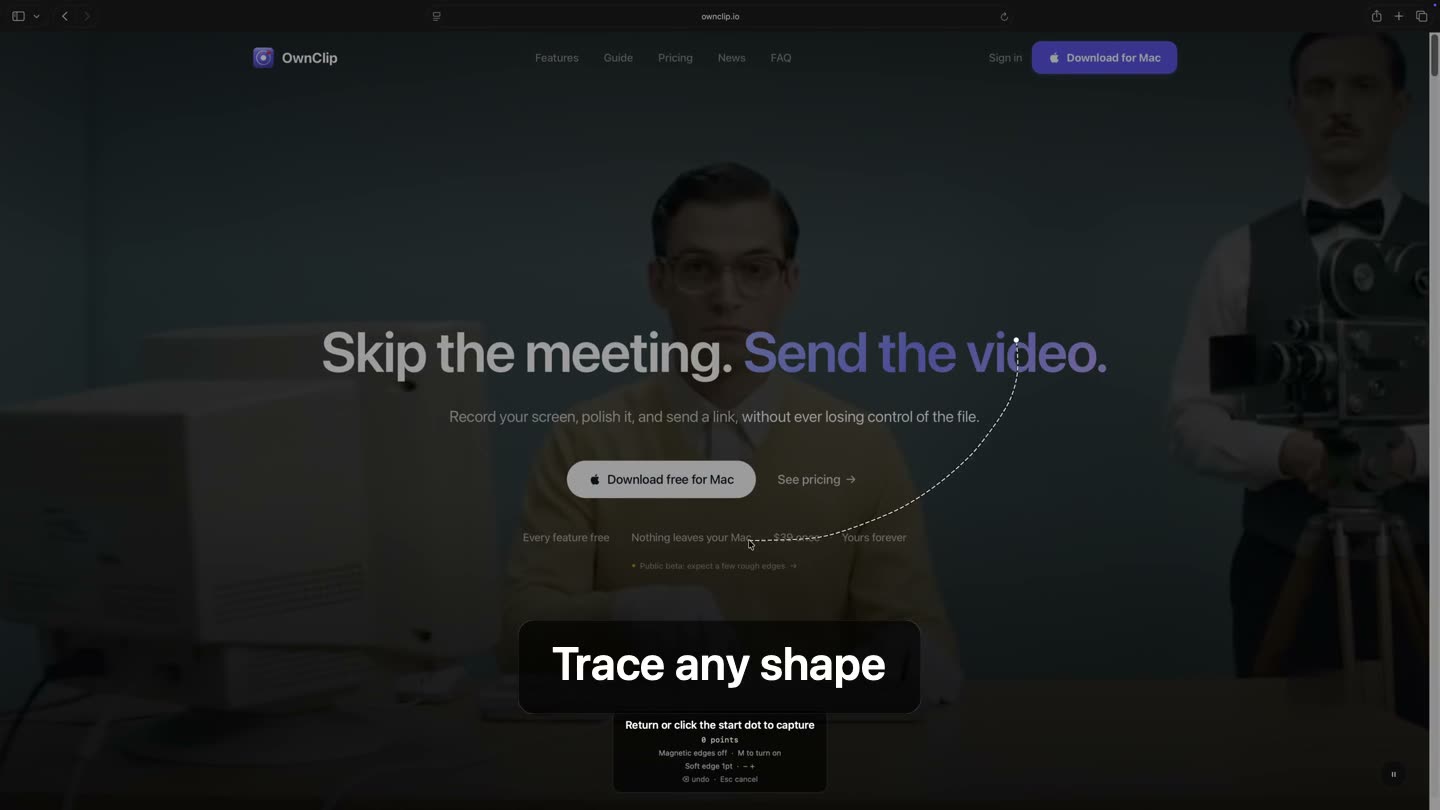
Screenshots & capture
Region, window and full-page scrolling capture, or trace any shape and get a transparent cut-out.
22 markup tools, Magic Erase and on-device text extraction live in the same editor the capture opens in.
- Screenshot captureFree
- Scroll CaptureFree
- Free CapturePro
- Magic EraseFree
- Text extractionFree
A real timeline, not a trim tool
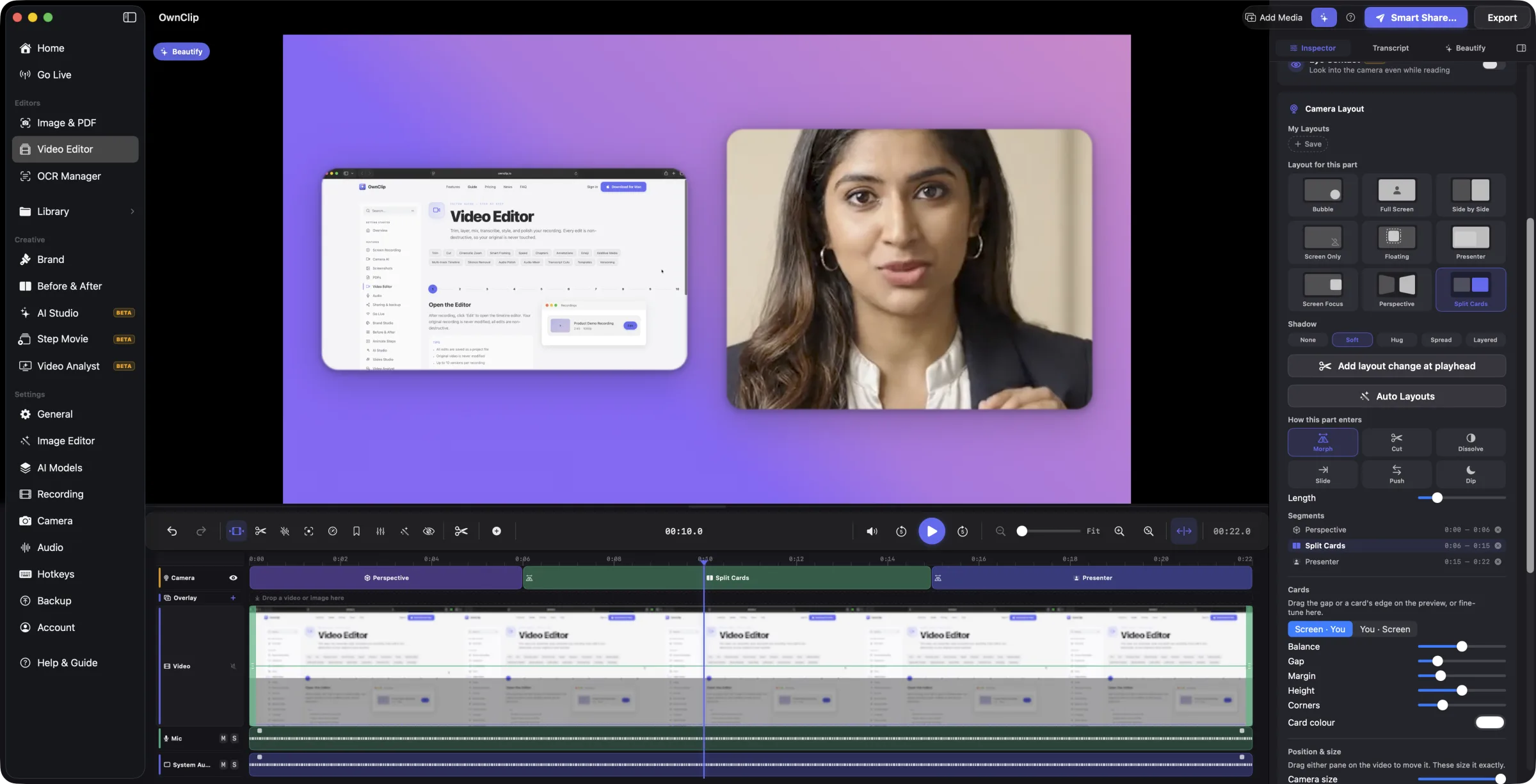
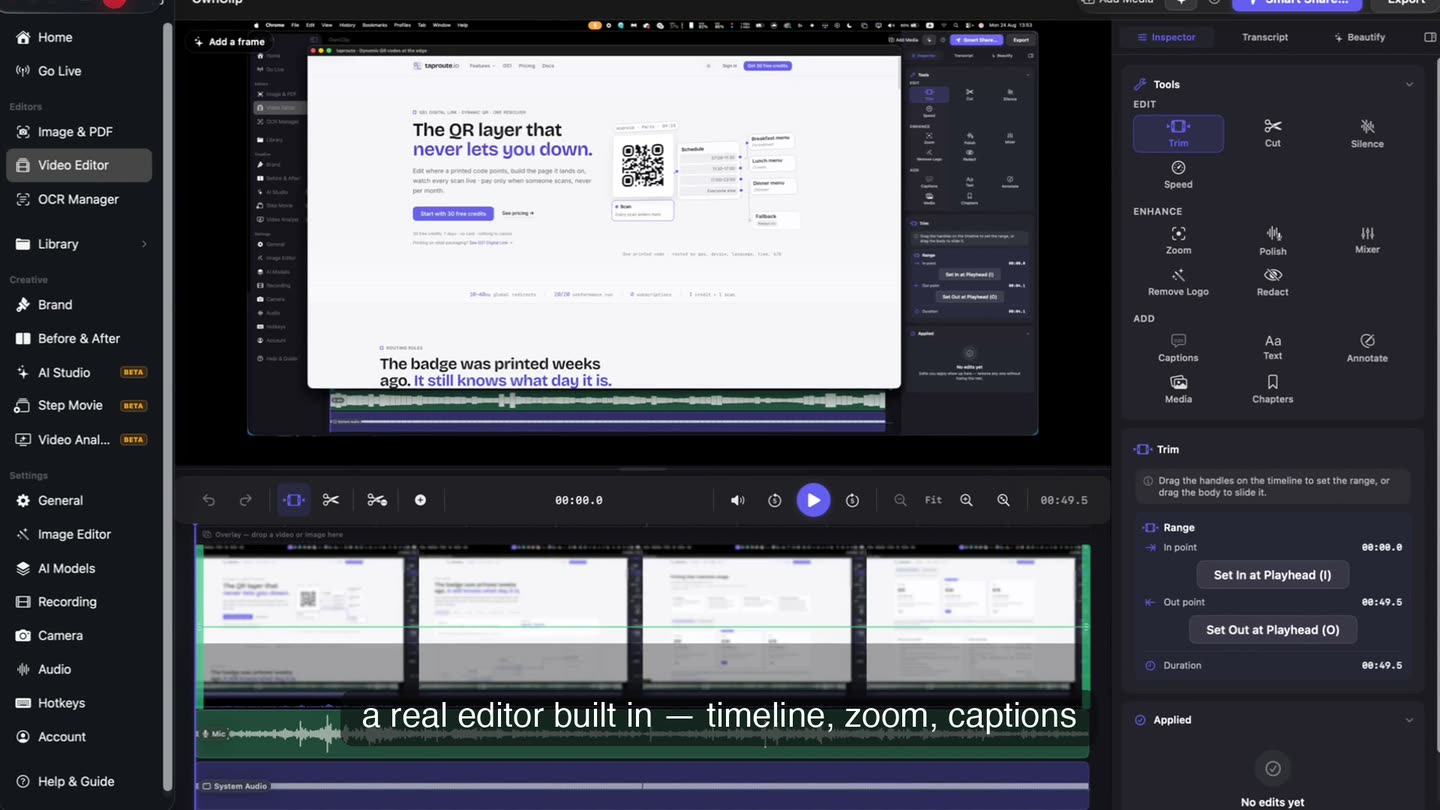
Multi-track video and audio, transitions, silence removal, chapters, text and annotations. Stop recording and the take opens here.
- Camera layoutsFree
Bubble, side by side, split cards or presenter, and the layout can change partway through the video.
- Edit by transcriptFree
Word-accurate transcripts you edit like text. Delete a word and the video cuts with it.
- Two audio tracksFree
Microphone and system audio arrive separately, so either one can be fixed on its own.
New in 2.0
One project, many recordings
Put several recordings in one project and cut them into one video on a timeline made of clips.
Choose Add Recording in the editor, or select several videos in the Library and choose Edit Together. Each recording keeps its own blurs, camera and trims, and plain videos and images you drop in become clips too.
- ⌘B splits the clip at the playhead. Drag either end of a clip to trim it.
- Delete removes a clip and closes the gap. ⇧Delete leaves the gap instead.
- Drag clips into a new order, and press ↑ or ↓ to jump between edit points.
- Select several clips, then copy, cut and paste them into this project or another one.
- Give each clip a Look (ten presets, six sliders), and keyframe its position, scale, turn, crop and fade.
- Every edit is one named Undo step, and More ▸ Revert to 1.x Edits puts a project’s earlier edits back.
- Multi-clip projects (Edit Together)Free
- Looks per clipFree
- Clip keyframesFree
Camera & voice
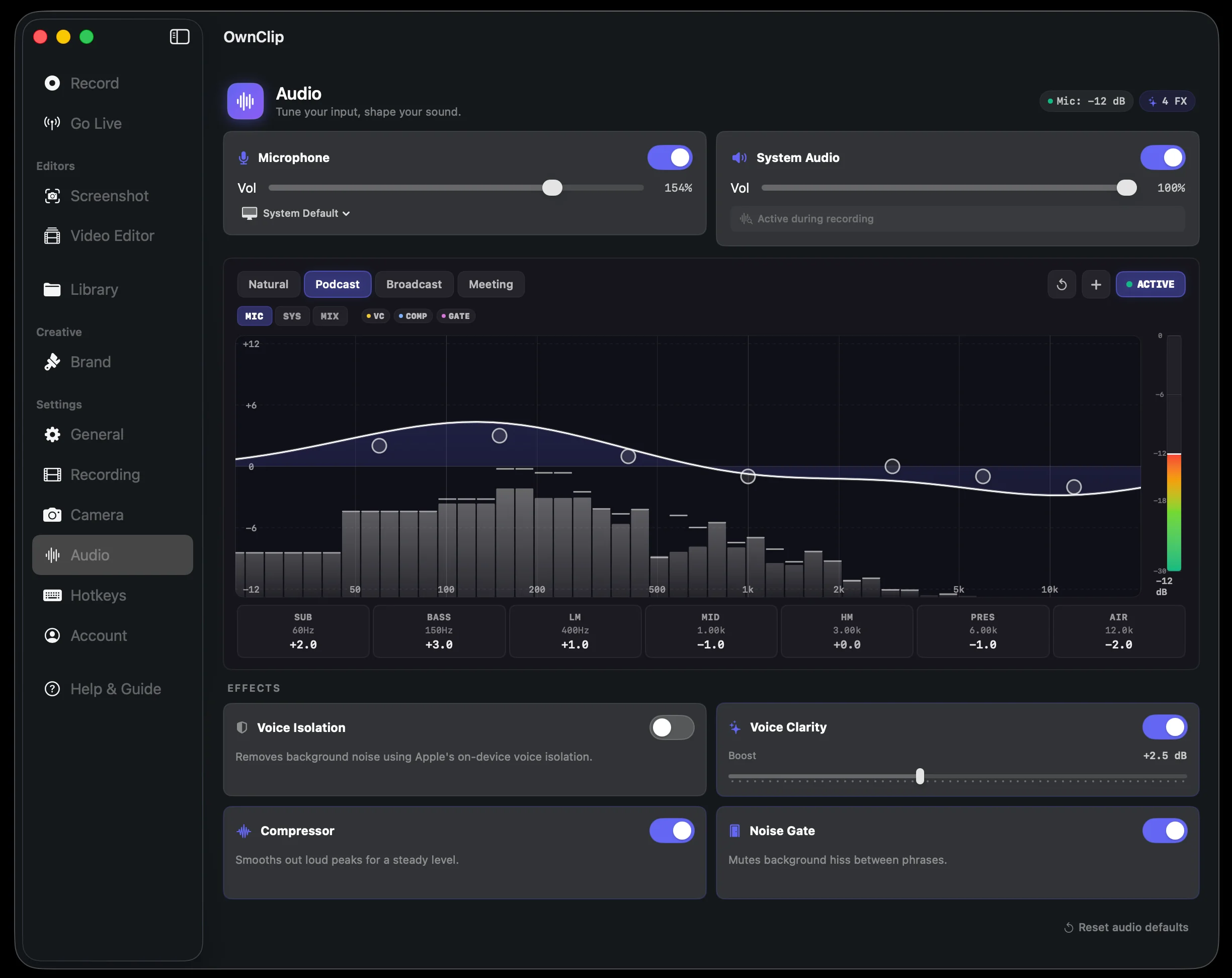
Your voice cleaned up, and your camera lit and framed, while you record.
Echo and background noise are removed on your Mac. The EQ sits over a live spectrum with Podcast, Broadcast and Meeting presets. On camera: background blur, virtual scenes, smart framing and auto-light.
- Noise removalFree
- Camera effectsFree
- Eye ContactFree
- Separate mic and system audio tracksFree
Sharing & brand
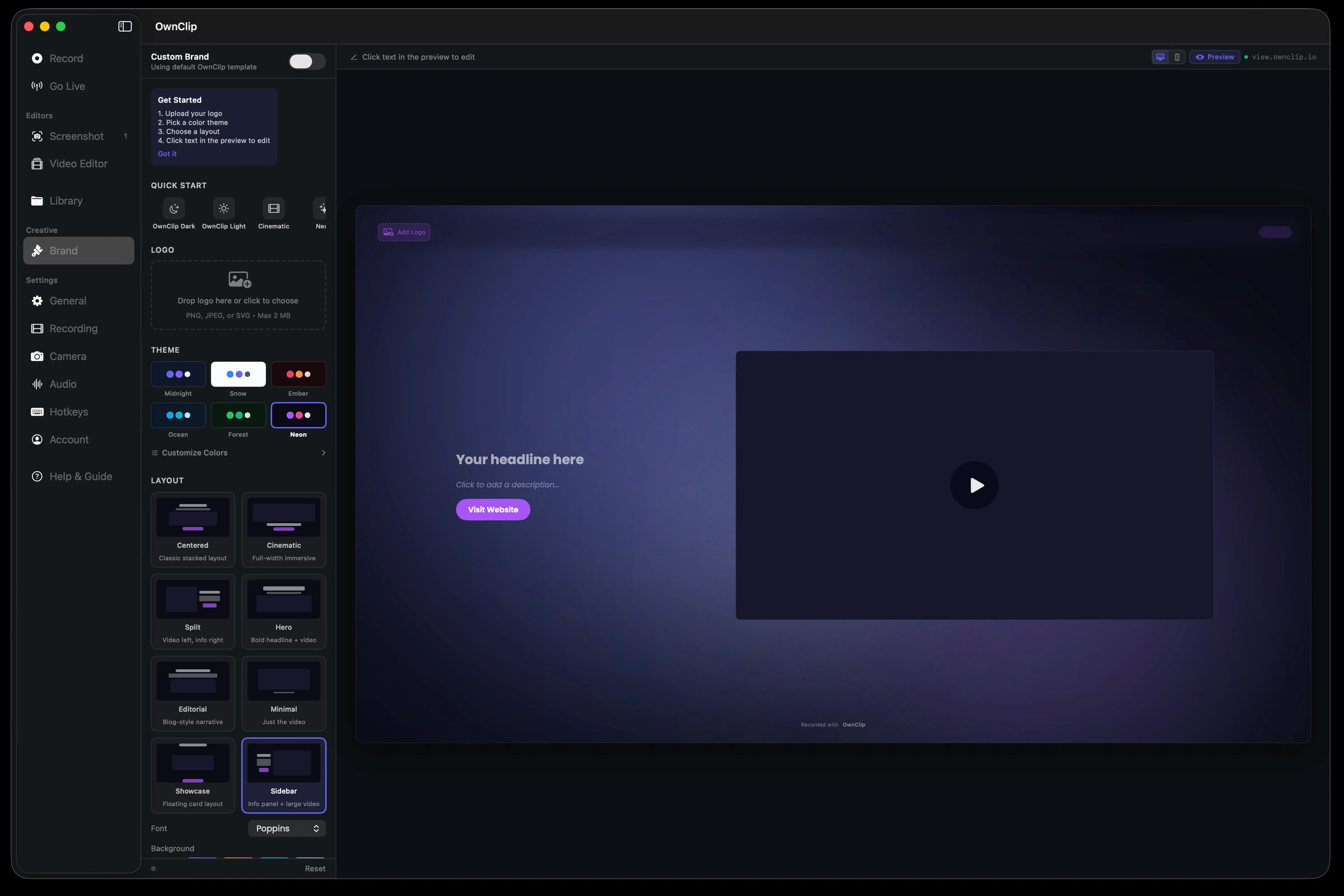
Uploads to your own Google Drive and returns a branded player page.
Your storage, your link, and your logo and colours on the page the recipient opens. Recordings stay on your Mac until you choose to share one.
- SharingFree
- Brand StudioStudio
- Your own logo as the watermarkStudio
- Local-first storageFree
More in the same app
Documents, photos, walkthroughs, shorts and live streams, without a second subscription.
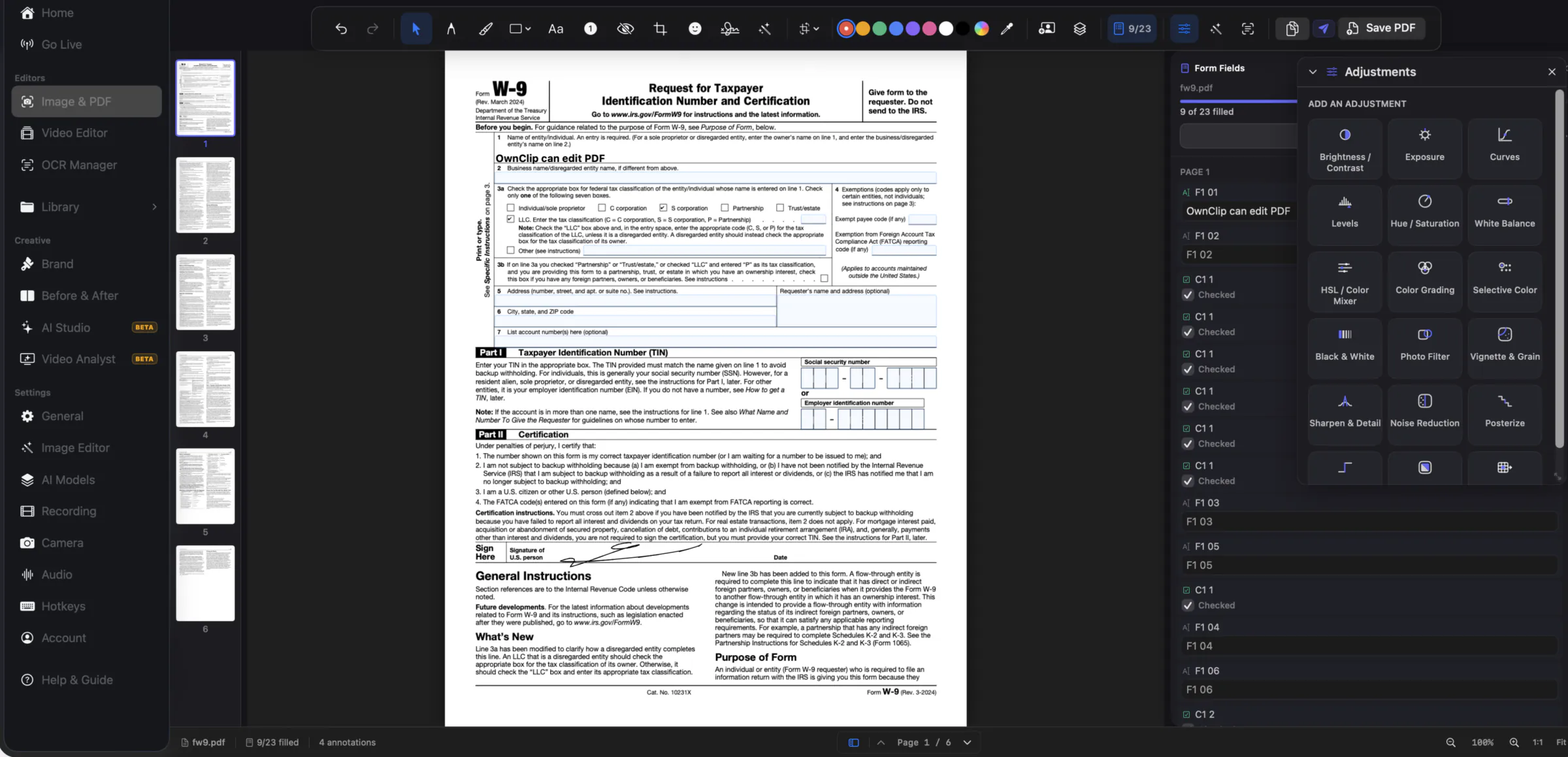
PDF forms that stay forms
FreeFills a PDF’s real form fields rather than stamping text on top, so the export is still a working form.
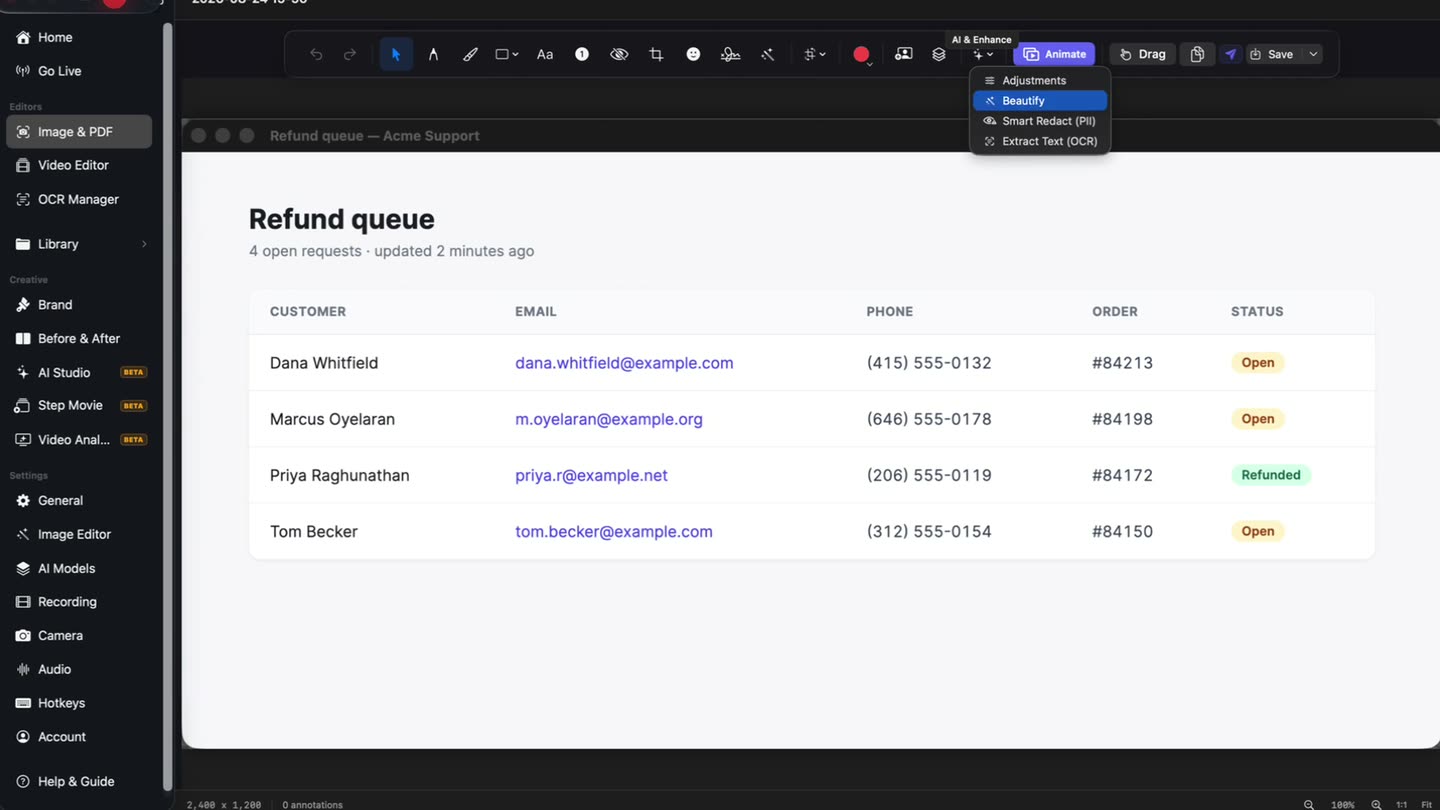
Personal data, found for you
FreeEmails and phone numbers on a capture are proposed for blurring. Nothing is applied until you review it.
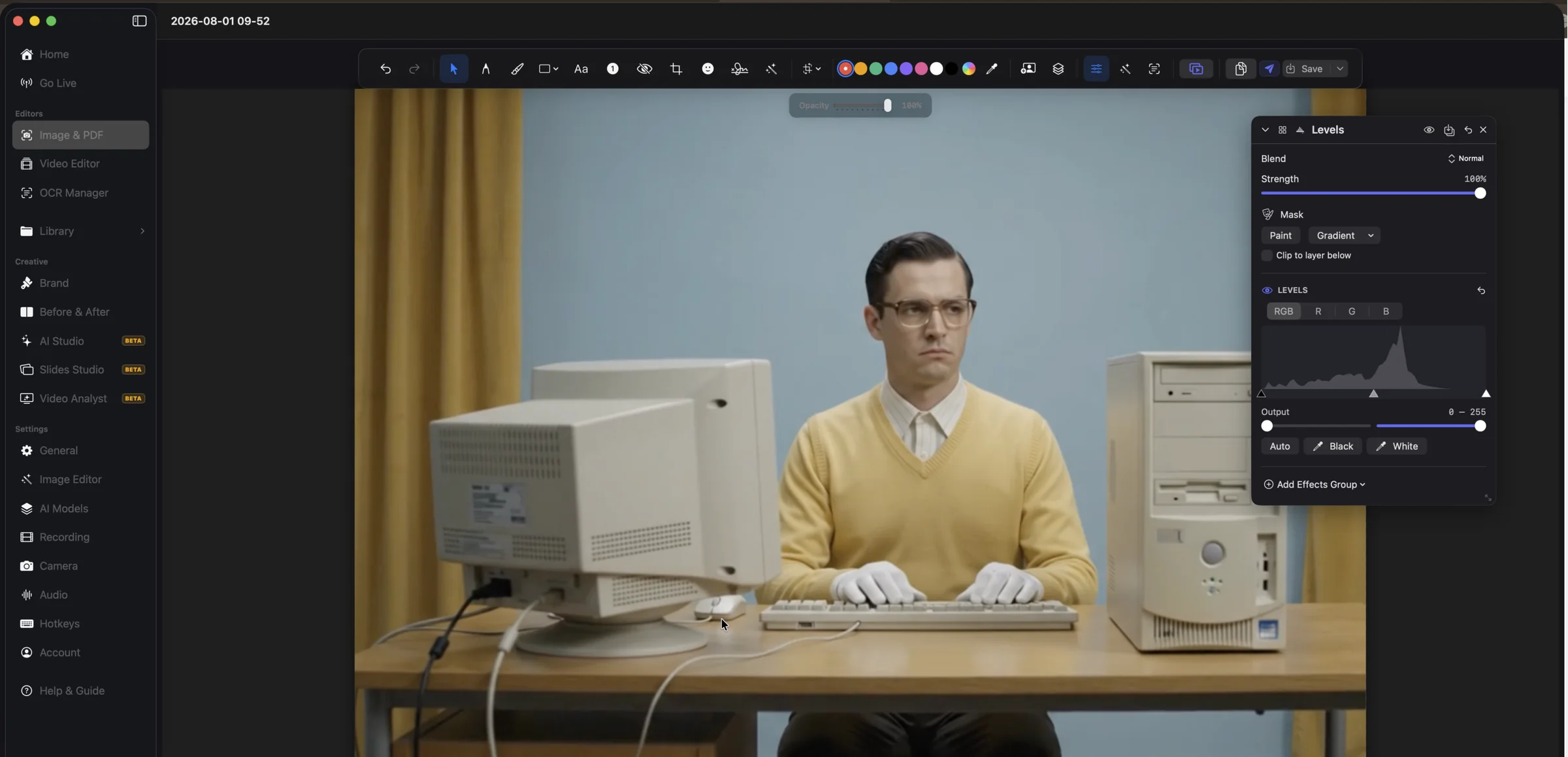
Adjustment layers
FreeLevels, curves, colour grading and masks on a screenshot or a photo, all non-destructive.
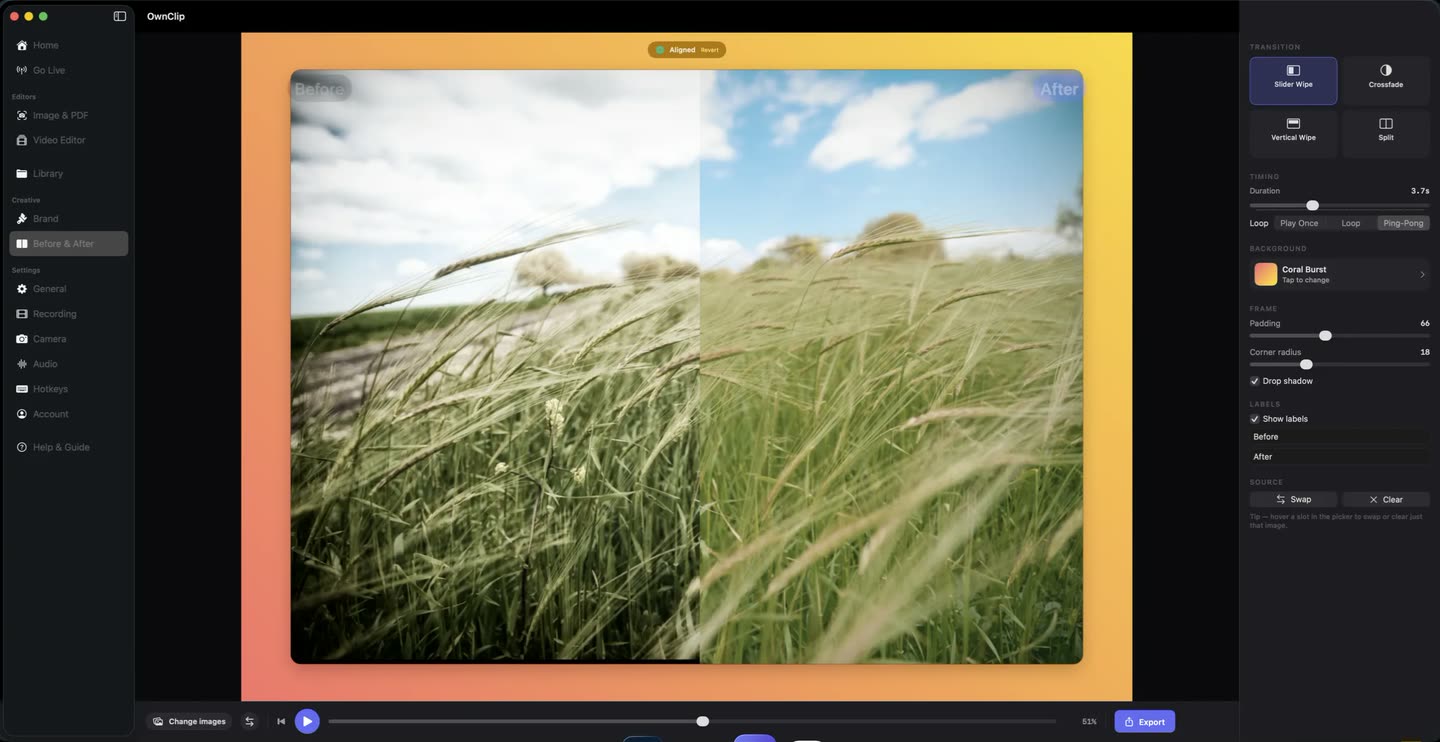
Before & After
FreeTwo images with a slider wipe, crossfade or split between them, framed and ready to share.
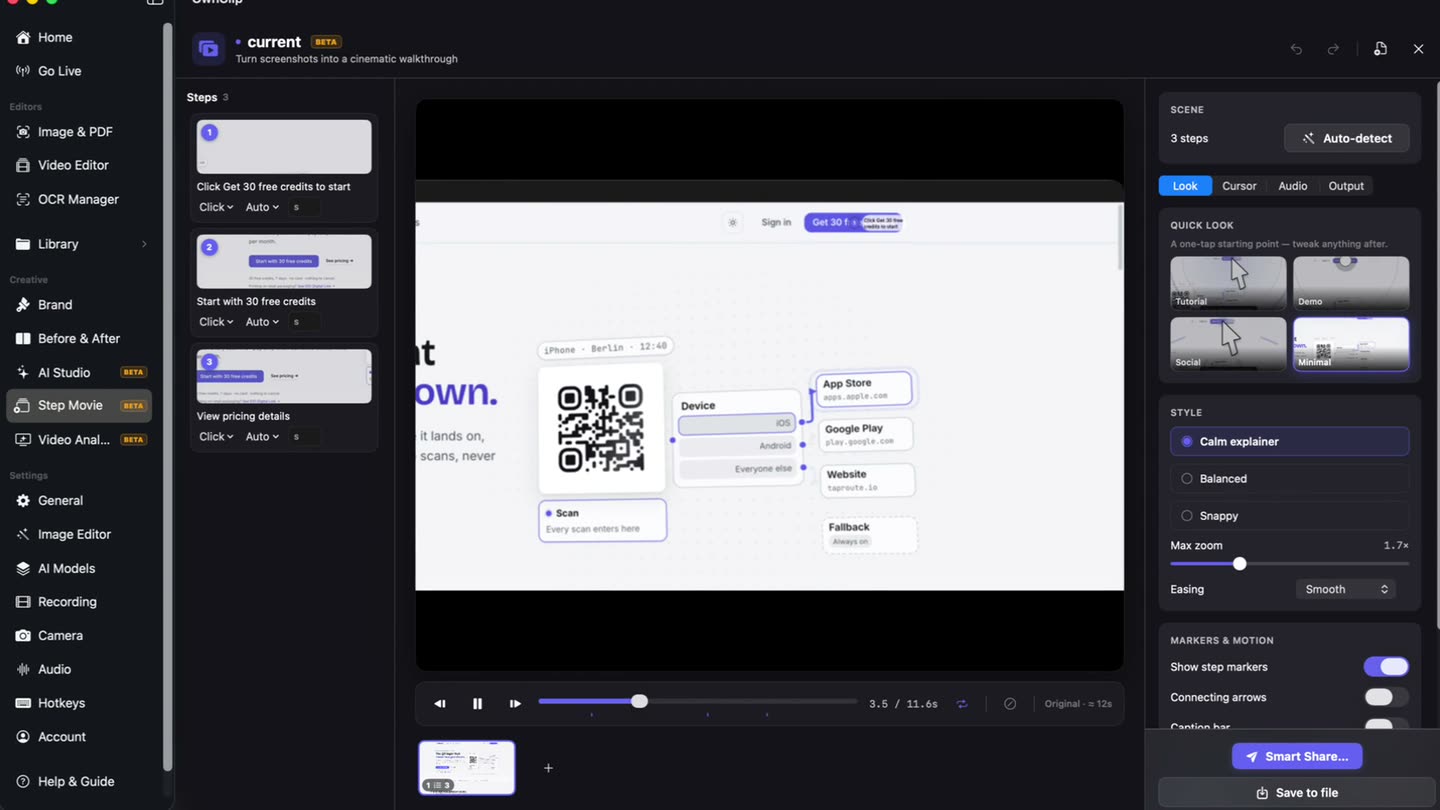
Step Movie
StudioNumbered steps on your screenshots become a video, with the camera moving between them.
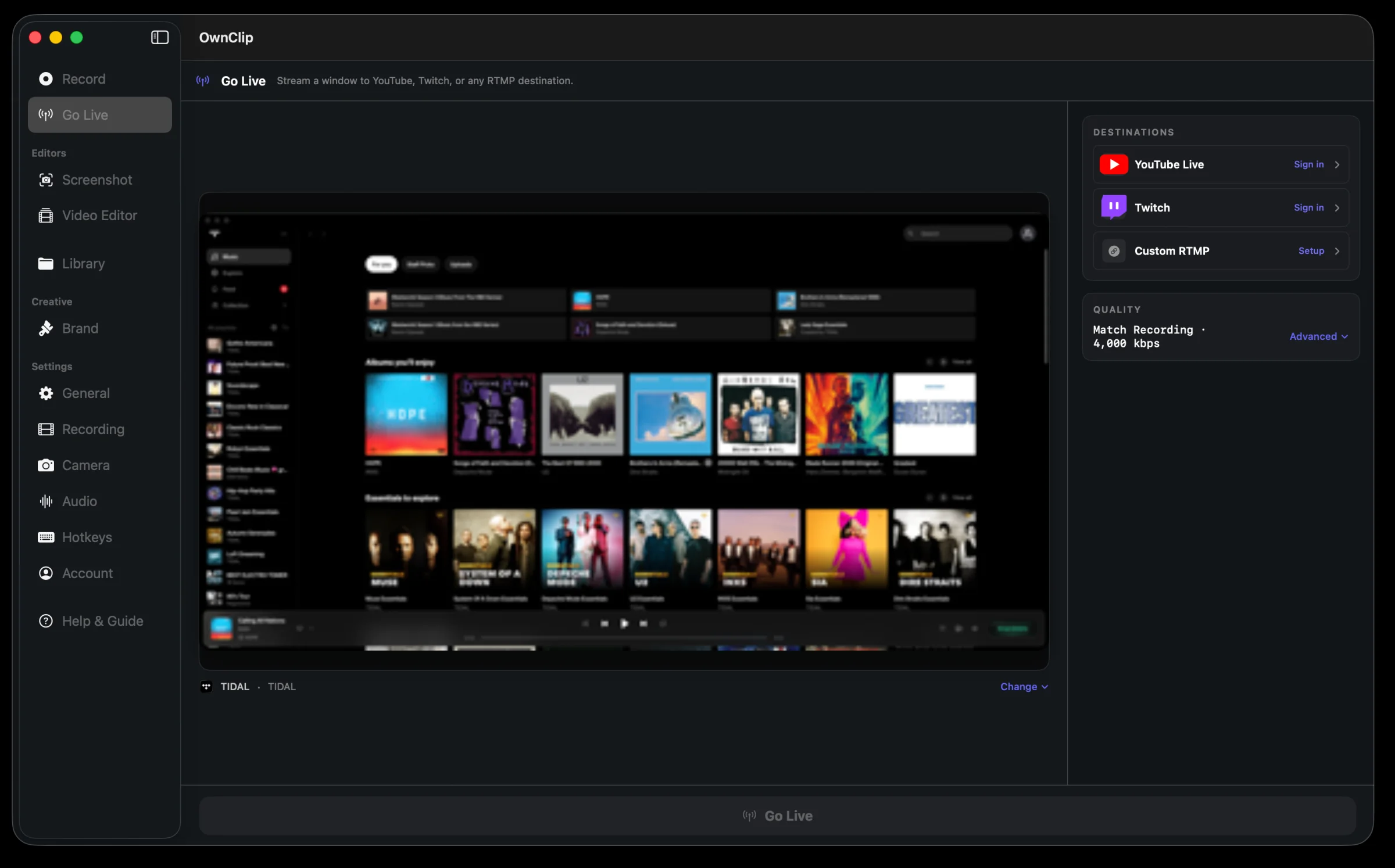
Go Live
StudioStream a window to several destinations at once, from the same app you record in.
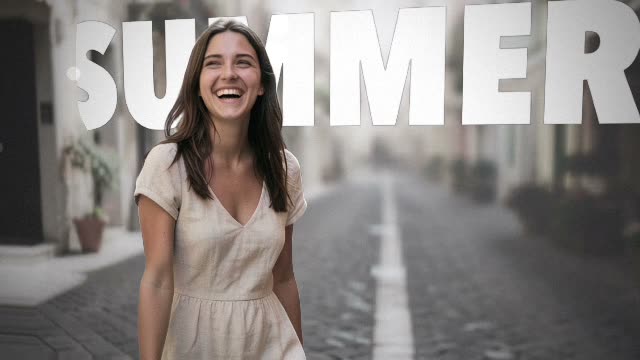
Depth Motion
StudioPick a few photos and a style. Each one is lifted into 3D and filmed with a moving camera, cut on the beat of the style’s own music.
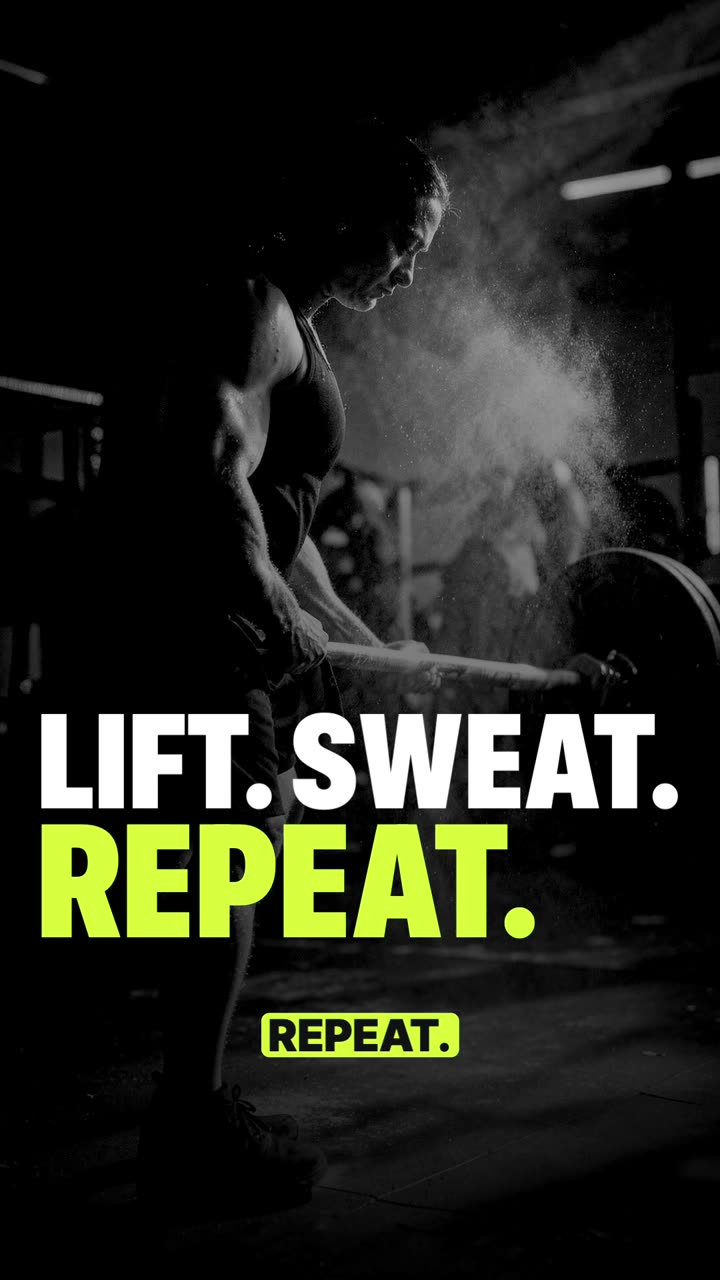
Promo Shorts
StudioMake a Short turns your recordings and images into a vertical promo video from one of 20 templates, with voice, music and captions made on your Mac.
Every feature, by tier
57 capabilities that ship today. Free gets the core toolkit — what it caps is the take itself: 3 minutes, recorded at 720p with a watermark in the video, and 25 saved recordings.
- Free$0
- Watermark
- OwnClip mark, recorded into the video
- Activates on
- 1 Mac
- Pro$39 once
- Watermark
- No watermark
- Activates on
- 2 Macs
- Studio$99 once
- Watermark
- No watermark, or your own logo
- Activates on
- 2 Macs
Recording
- Screen recordingFree
Free records up to 3 minutes a take at 720p, with a small watermark in the video, and keeps 25 recordings. Pro lifts both for everything you record after upgrading.
- iPhone and iPad recordingFree
Plug in with a cable, unlock, tap Trust. The phone is mirrored on your Mac while it records — draw on it live, keep your camera beside it — and its screen and its own sound land on the timeline like any other take. iOS swaps in its clean demo status bar while it records.
- Screen + camera recordingFree
- Camera layoutsFree
- Microphone recordingFree
- System audio recordingFree
- Separate mic and system audio tracksFree
Camera & audio
- Camera effectsFree
Background blur, virtual scenes, smart framing and auto-light — all on your Mac, on every tier.
- Eye ContactFree
- Noise removalFree
Removes echo and background noise from the voice track, offline.
- Per-moment audio mutingFree
Editing
- Video editorFree
A real timeline: multi-track video and audio, transitions, silence removal, chapters. Free gets the whole editor.
- Multi-clip projects (Edit Together)Free
Several recordings in one project, on a timeline of clips you split, trim, reorder and copy between projects.
- Looks per clipFree
- Clip keyframesFree
Move, scale, turn, crop and fade a clip over time.
- Smart ZoomFree
The recording zooms where you clicked, generated from the take itself. On every tier, Free included.
- Cursor effectsFree
Smooth cursor motion and click highlights, on every tier.
- Video annotationsFree
- Drawing while recordingFree
- Before & AfterFree
- Adjustment layersFree
Transcription & captions
- TranscriptionFree
Runs on your Mac, in 20 languages. No upload, no per-minute cost.
- CaptionsFree
Burned-in captions generated from the transcript, styled in the editor.
Screenshots & documents
- Screenshot captureFree
- Free CapturePro
Trace any shape on screen and cut out exactly that, on a transparent background.
- Screenshot editorFree
- Scroll CaptureFree
Captures a whole scrolling page — window or region — and stitches it into one image. Free, on every tier.
- Magic EraseFree
Removes an object or a person and fills in behind it. The highest-quality engine downloads a model once.
- Text extractionFree
Pulls text out of any capture. Five extractions a month on Free, unlimited on Pro and Studio.
- PDF editorFree
Fills a PDF’s real form fields instead of stamping text on top, so the export is still a working form. Free exports are flattened.
- Smart RedactFree
Beautify
- BeautifyFree
Backgrounds, padding, rounded corners and shadow for screenshots and recordings. Free on every tier.
- Beautify for recordingsFree
A background, padding, rounded corners and a shadow around a screen recording, rendered into the export.
- 3D TiltPro
Turns the framed capture in 3D — drag it, or set the angle exactly.
- Batch BeautifyPro
One look applied to a whole set of images in a single pass.
- Best Quality AI backgroundsStudio
A photoreal background generated on your Mac at the exact shape of the canvas. Needs 16 GB of memory.
- Motion backgroundsStudio
A slow-moving animated backdrop behind the recording.
Export & sharing
- Export formatsFree
MP4, HEVC, MOV, ProRes 422/4444, GIF and WebM — every format on every tier, including Free.
- Record and export without the OwnClip markPro
Pro and Studio record and export clean. The free mark is recorded into the video, so a take made on Free keeps it after you upgrade.
- Your own logo as the watermarkStudio
Studio replaces the mark with your own logo, on exports and on share pages.
- SharingFree
Uploads to your own Google Drive and returns a player page. Your storage, your link.
- Local-first storageFree
Recordings are written straight to your Mac, in a folder you can open. Signing in is required to record.
- Automatic backupFree
Copies every capture to Google Drive, iCloud Drive or OneDrive — as many as you switch on. Off until you turn it on, and the originals stay on your Mac.
- Your own storageStudio
Back up to a bucket you rent yourself — Cloudflare R2, Backblaze B2, Wasabi, Amazon S3 or your own server.
- Brand StudioStudio
Your logo, colours and fonts across exports and share pages.
- Go LiveStudio
Broadcast to YouTube, Twitch or any RTMP destination.
AI analysis
- Video AnalystPro
Reads a whole recording and writes the chapters, clips and copy from it. Pro includes 10 finished videos a month; Studio is unlimited.
- Ask the videoPro
- Auto chaptersPro
- Social ClipsPro
- Product DemoPro
- Short AdPro
- SEO PackPro
- Premium narration voicesStudio
Higher-quality narration voices for generated videos.
- Step MovieStudio
Turns a series of captures into an animated step-by-step walkthrough.
- Promo ShortsStudio
Turns recordings and images into a vertical promo video from a template, with voice, music and captions made on your Mac.
- Depth MotionStudio
Lifts your photos into 3D and films them with a moving camera, cut to music, on your Mac.
Looking for a specific job rather than a feature? Browse by what you’re trying to do, or read the full guide.
Try it on your own Mac
Free to start. The latest macOS, Apple silicon.