Give design feedback by pointing at it
Design feedback is hard to write and easy to show. Put the mark on the frame — a still with one arrow in thirty seconds, or a recording where you talk through the whole flow.
Free to use. Recordings are capped at three minutes and recorded at 720p with a watermark.
Three replies, or one mark
“The spacing on the second card feels off.” Nobody reading that knows whether it means tighter, looser, or wrong against the one beside it. An answer comes back, misses, and a third message goes out to explain the second.
Visual feedback settles it on the first message. A mark on the frame takes about as long as writing that opening sentence did.
The fast version is a still.
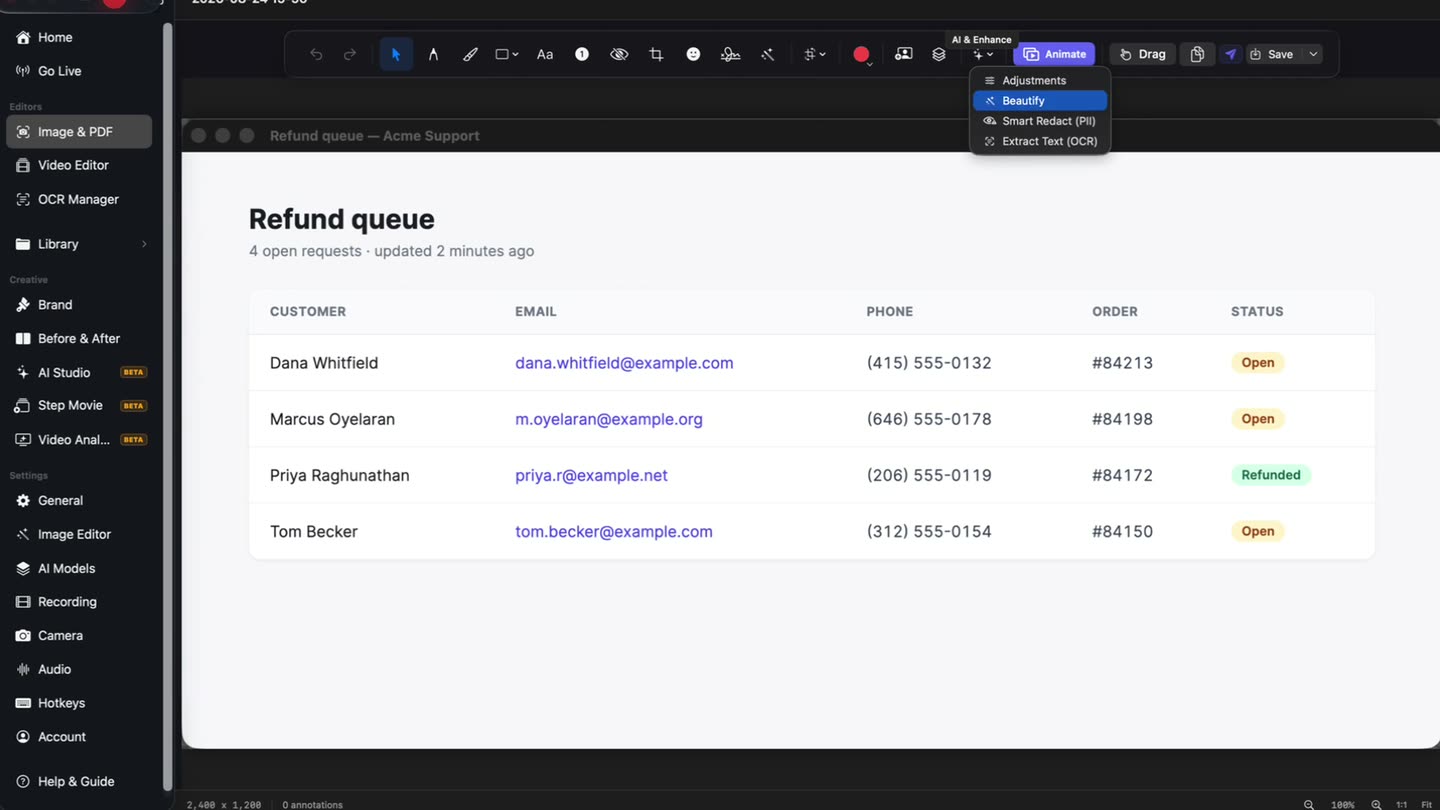
Drag a region and the capture opens in the editor with its markup toolbar already across the top. Point at the one thing you mean, blur anything that should not travel with it, and the thread is over.
- Region or window
- 22 tools
- Blur included
Blur the client’s records first.
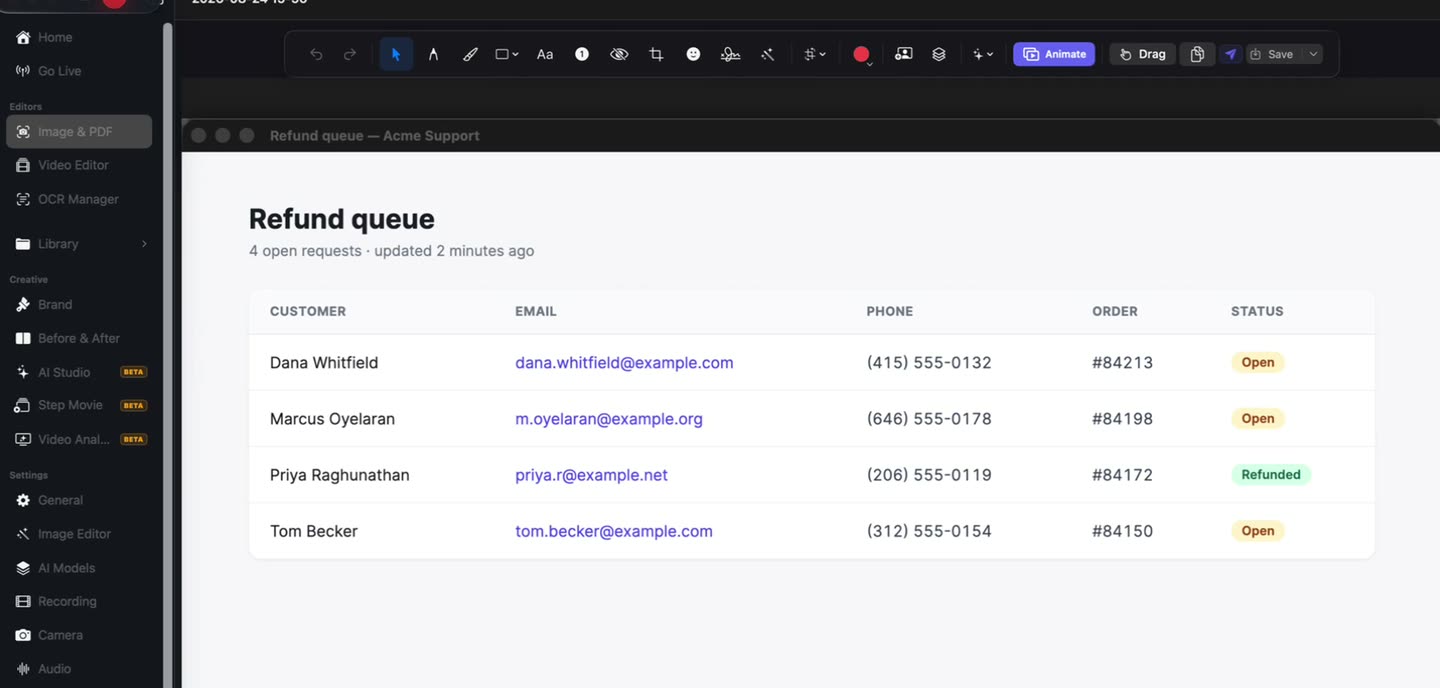
Design reviews run against real data more often than anyone plans for. In the video editor a scan finds it and proposes it for review — nothing is applied on its own, and on a still you blur a region by hand.
What ends up on the frame
Every tool here is on the free tier. The free limits sit on the output — recording length, export resolution, the watermark, and how many recordings you keep.
Region, window or screen
Drag a region — including one spanning two displays — or grab a single window as it is.
22 tools on a capture
Arrows, shapes, highlighter, pen, text, numbered steps, blur and crop, in the editor that opens on the shot.
Marks that come and go
On video, every arrow and box has its own time range, so a mark lasts exactly as long as the point does.
The flow, not the frame
Record the screen when the problem is a transition, a state, or the order things appear in.
Your voice over the walkthrough
The microphone records with the screen, so intent arrives beside the thing it is about.
A scan before it leaves
In the video editor, email addresses, phone numbers, card numbers and identifiers are found and offered for review, never applied automatically.
A link that stays yours
The recording uploads to your own Google Drive, and the link can be switched off when the round is over.
A link you can switch off.
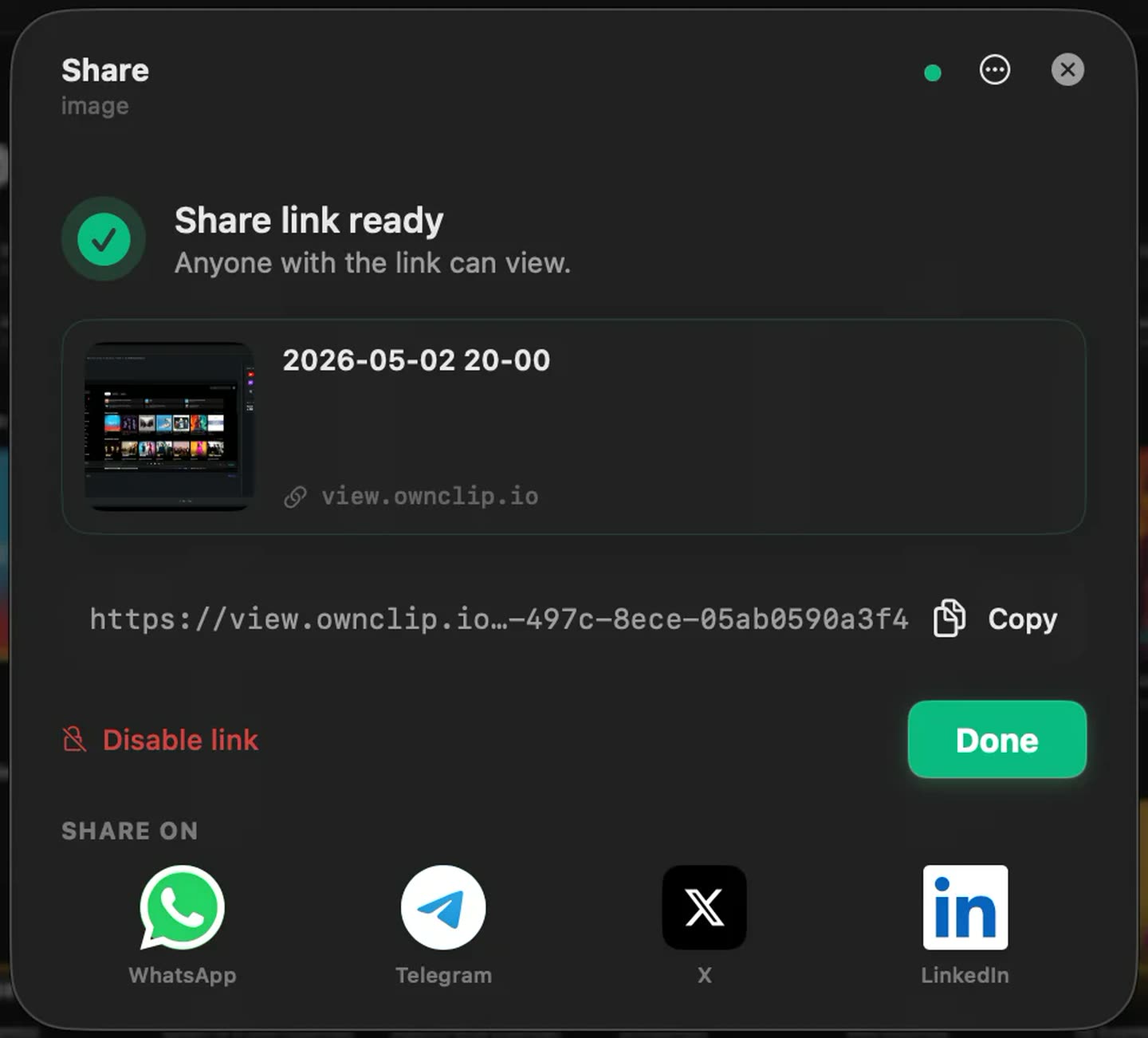
The recording uploads to storage you already own and hands you a link to paste into the thread. When the round is done, the dialog that made the link disables it.
A design review that lands
- 1Open the real buildAt the size someone actually uses it, rather than a cropped export of one screen.
- 2Talk while you move through itIntent is faster said than written, and the recording keeps it next to the screen it belongs to.
- 3Mark each point as you reach itAn arrow or a box in the editor, each one lasting only as long as you are talking about it.
- 4Scan, then sendCheck that nothing real is still in the picture, then share a link where the thread already lives.
Where this replaces a thread
Design review recordings
Walk the flow at full size and mark the spacing and the states as you reach them.
Client rounds
One recording per round, so the change list is watchable and dated instead of scattered across replies.
Handing a design to engineering
Point at the padding, the empty state and the hover, and let the recording sit beside the ticket.
Copy and content passes
Mark the line, say what is off about it, and the writer sees the screen around it at the same time.
Questions people ask
Either. A capture opens in the screenshot editor with 22 markup tools on it, which covers most single-point feedback in about thirty seconds. Record the screen instead when the problem is a flow, a transition or a state you have to arrive at.
No. There is no commenting layer and no design-tool integration. You share a link and the reply comes back wherever your team already talks.
Yes. Editing is non-destructive — marks live in a project beside the recording and nothing is burned into the picture until export, so a second round on the same take is a re-mark and a re-export.
Free includes the whole editor — timeline, Smart Zoom, camera effects, audio cleanup, captions, annotations, and the screenshot and PDF editors. What it caps is the take itself: three minutes, recorded at 720p, with a small watermark recorded into the video. You can keep 25 recordings. A few tools are paid rather than capped — Video Analyst and Batch Beautify are Pro; Brand Studio, Go Live and Step Movie are Studio. Pro is $39 once and lifts every cap for what you record after upgrading; recordings made on Free stay 720p with the mark.
OwnClip runs on the latest macOS — currently macOS 26 — on an Apple silicon Mac. It is a native Mac app; there is no Windows or web version.
Related
Coming from another tool? Browse every comparison.
Give design feedback by pointing at it
Free to start. The latest macOS, Apple silicon. See what Pro and Studio add.