Blur the room behind you while you record your screen
You are recording your screen from a room that is not a studio. OwnClip blurs the background behind you, replaces it, or keeps the frame on your face — applied to the camera live, on your own Mac.
Free to use. Recordings are capped at three minutes and recorded at 720p with a watermark.
There is no second pass.
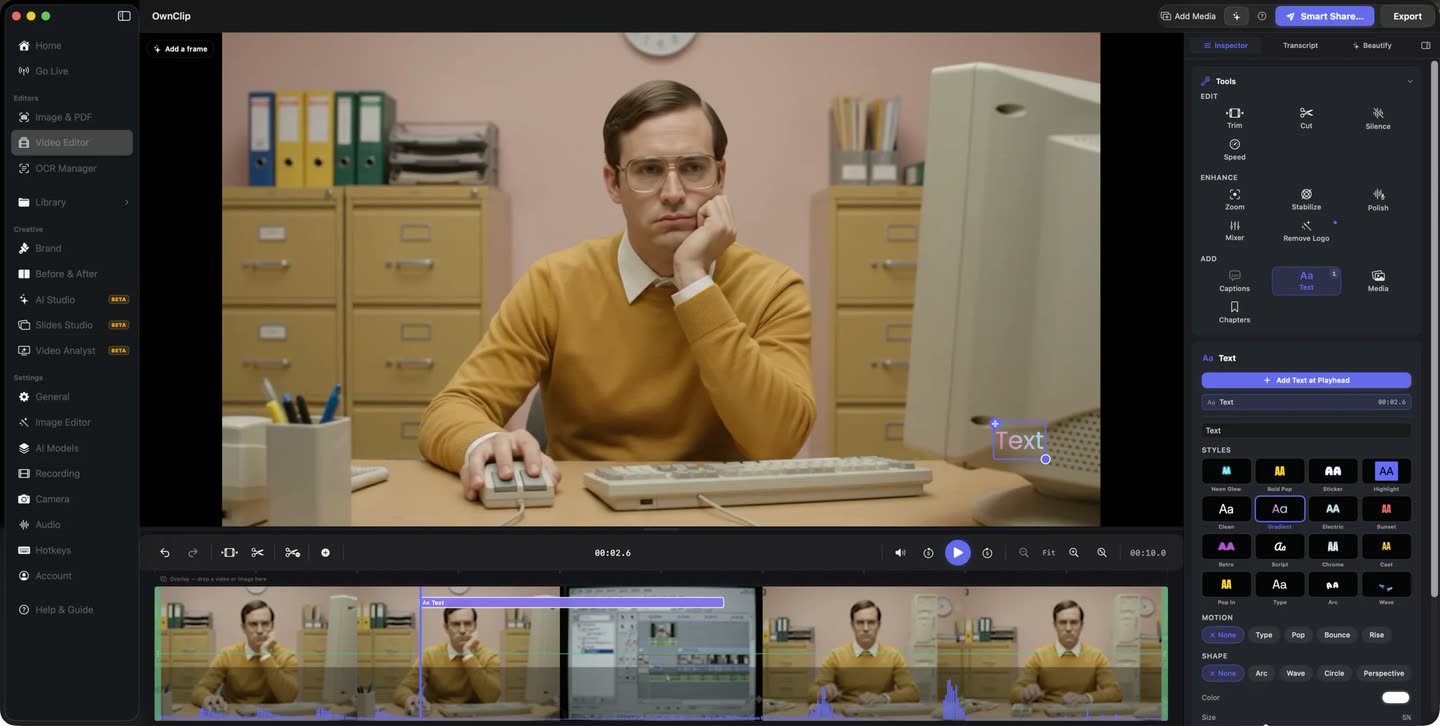
You stop recording and the take is already on a timeline in the same window. No export, no import, and no round trip through another application to get the background handled.
- No import step
- One window
- Non-destructive
What the camera handles
Every one of these runs on your Mac, and every one is on the free tier.
Background blur
Blur strength is a slider rather than a set of presets, so you can take the room down to texture or leave it soft enough to still read as a room.
Virtual backgrounds
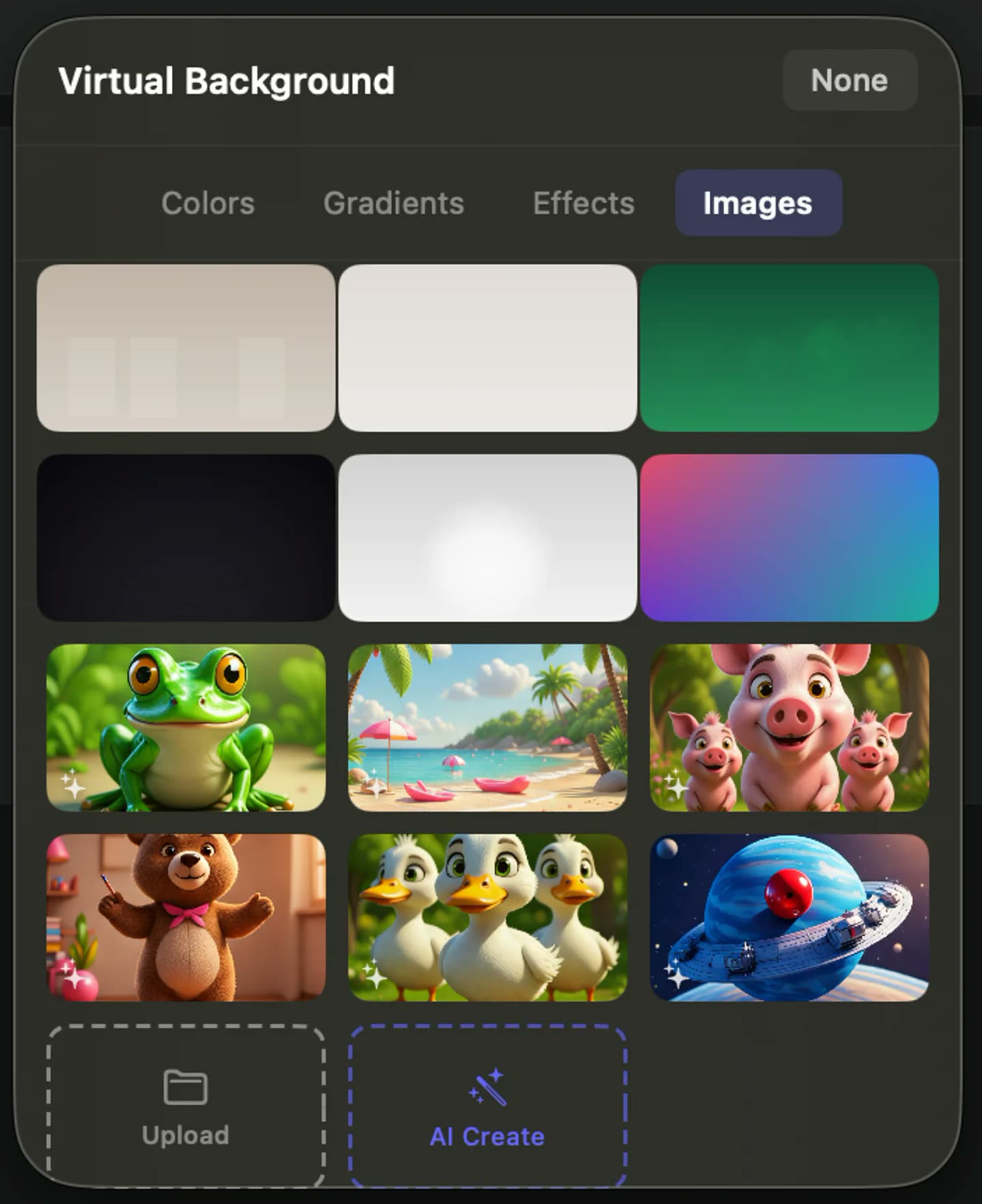
Put a solid colour, a gradient, an animated backdrop or an image of your own behind you instead. No green screen, no particular wall.
Center Stage
The frame follows your face, so you stay centred when you lean in to point at something on the screen.
Auto-Light
Lifts an underlit face when the only window in the room is behind you, at an intensity you set.
Beauty Filter
Skin smoothing on an intensity slider, or off. It runs in the same pass as the background work.
Eye Contact
Corrects your gaze towards the lens when you were reading the screen. It is applied at export rather than in the live preview, and downloads a model once.
A room, not a set
The effects exist so the room stops being something you have to solve before you record. A plain wall, a shelf of books, an unmade bed behind you — whichever one you are sitting in, it is not the thing that ends up on screen.
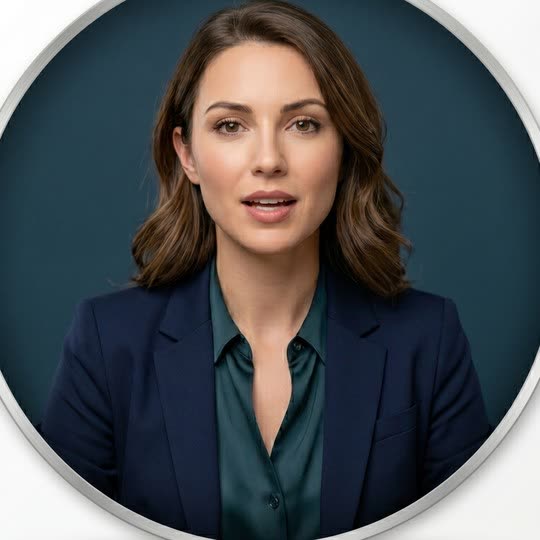
A presenter mid-sentence against a plain backdrop, framed as a webcam tile
What the blur actually does
You are separated from what is behind you frame by frame, on your own Mac, using its GPU and Neural Engine. Nothing about the camera feed is sent anywhere for that to work, and there is no green screen to hang or light evenly.
The separation is good rather than perfect. Fine hair, the arm of a pair of glasses and a hand crossing in front of your face are where the edge is hardest, and a busy background with strong contrast behind your shoulders is harder than a plain one. Heavier blur hides more of that than light blur does.
The treatment is written into the recorded frames as they arrive, which makes the background a decision you take in the preview rather than one you postpone. Set it, look at it in the webcam bubble, then record.
You do need to sign in to record, so OwnClip is not usable fully offline. Once you are signed in, the camera work happens on your own machine.
The rest is an edit.
Trimming, text and styling all happen on the timeline the recording opened into, and none of it rewrites your original file. The background is the one thing that is already settled — it went into the frames during the take.
Blurring your background, start to finish
- 1Turn the camera onPick your camera before you start. It records alongside the screen — there is no camera-only recording mode.
- 2Choose what goes behind youBlur, with the strength on a slider, or one of the virtual backgrounds. Add Center Stage, Auto-Light or the Beauty Filter if the room needs them.
- 3Check the preview, then recordThe webcam bubble shows the finished treatment before you press record, so you are not guessing at it halfway through a take.
- 4ExportThe background work is already in the frames. Eye Contact, if you turned it on, is applied here rather than in the live preview.
When the room is the problem
Recording from home
A walkthrough made from the spare room does not have to show anyone the spare room.
Somewhere borrowed
A hotel desk, a co-working booth, a kitchen table at seven in the morning — a background you did not choose stops mattering.
Video that goes to customers
A gradient behind you reads as considered, which counts when the recording is going to a prospect rather than a colleague.
People behind you
Housemates, family, someone walking past — heavy blur or a replaced background keeps them out of the shot.
Questions people ask
Yes. Background blur, virtual backgrounds, Center Stage, Auto-Light, the Beauty Filter and Eye Contact are all available on every tier. Free includes the whole editor — timeline, Smart Zoom, camera effects, audio cleanup, captions, annotations, and the screenshot and PDF editors. What it caps is the take itself: three minutes, recorded at 720p, with a small watermark recorded into the video. You can keep 25 recordings. A few tools are paid rather than capped — Video Analyst and Batch Beautify are Pro; Brand Studio, Go Live and Step Movie are Studio. Pro is $39 once and lifts every cap for what you record after upgrading; recordings made on Free stay 720p with the mark.
No. You are separated from what is behind you frame by frame using your Mac’s GPU and Neural Engine, so a plain wall, a bookshelf or a busy room all work. A little light on your face and some contrast between you and the background give the cleanest edge.
They are applied live, during the take, and the webcam bubble previews them before you press record. Nothing about the camera feed is uploaded to do it. The one exception is Eye Contact, which is applied at export rather than in the live preview and downloads a model once, the first time you use it.
No. The camera treatment is written into the recorded frames during the take, so the background is chosen in the preview beforehand. Everything else stays editable afterwards, and editing is non-destructive — your edits live beside the original file, which is never rewritten.
No. The camera is always an overlay on a screen capture rather than a separate recording mode, so a screen, a window or a region is always part of the take.
OwnClip runs on the latest macOS — currently macOS 26 — on an Apple silicon Mac. It is a native Mac app; there is no Windows or web version.
Related
Coming from another tool? See how OwnClip compares with Screen Studio, or browse every comparison.
Blur the room behind you while you record your screen
Free to start. The latest macOS, Apple silicon. See what Pro and Studio add.